


Live Demo
Try Kestra using our live demo.
What is Kestra
Kestra is a universal open-source orchestrator that makes both scheduled and event-driven workflows easy. By bringing Infrastructure as Code best practices to data, process, and microservice orchestration, you can build reliable workflows and manage them with confidence.
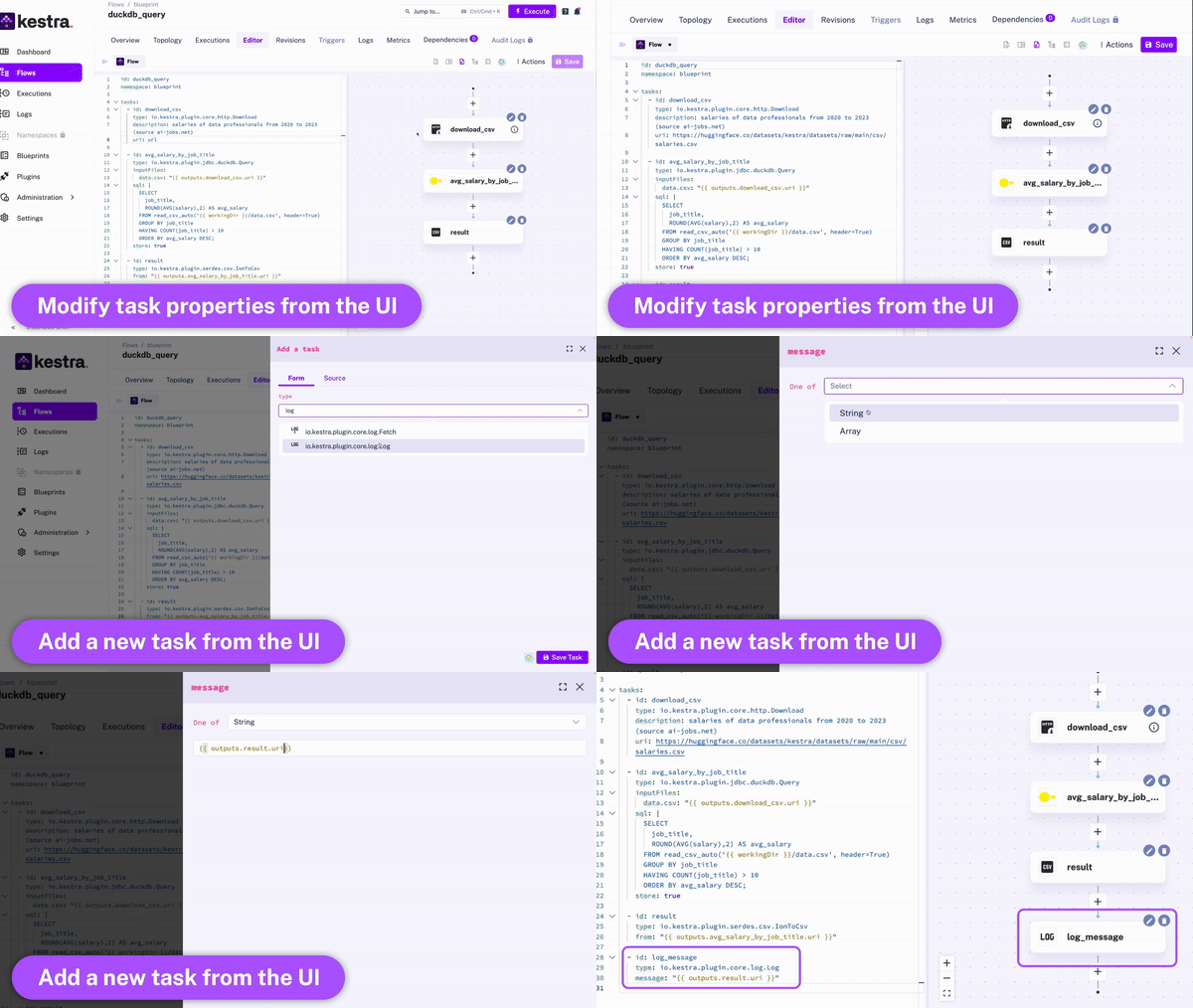
In just a few lines of code, you can create a flow directly from the UI. Thanks to the declarative YAML interface for defining orchestration logic, business stakeholders can participate in the workflow creation process.
Kestra offers a versatile set of language-agnostic developer tools while simultaneously providing an intuitive user interface tailored for business professionals. The YAML definition gets automatically adjusted any time you make changes to a workflow from the UI or via an API call. Therefore, the orchestration logic is always managed declaratively in code, even if some workflow components are modified in other ways (UI, CI/CD, Terraform, API calls).
Key concepts
Flowis the main component in Kestra. It's a container for your tasks and orchestration logic.Namespaceis used to provide logical isolation, e.g., to separate development and production environments. Namespaces are like folders on your file system — they organize flows into logical categories and can be nested to provide a hierarchical structure.Tasksare atomic actions in a flow. By default, all tasks in the list will be executed sequentially, with additional customization options, a.o. to run tasks in parallel or allow a failure of specific tasks when needed.Triggersdefine when a flow should run. In Kestra, flows are triggered based on events. Examples of such events include:- a regular time-based schedule
- an API call (webhook trigger)
- ad-hoc execution from the UI
- a flow trigger - flows can be triggered from other flows using a flow trigger or a subflow, enabling highly modular workflows.
- custom events, including a new file arrival (file detection event), a new message in a message bus, query completion, and more.
Inputsallow you to pass runtime-specific variables to a flow. They are strongly typed, and allow additional validation rules.
Extensible platform via plugins
Most tasks in Kestra are available as plugins, but many type of tasks are available in the core library, including a.o. script tasks supporting various programming languages (e.g., Python, Node, Bash) and the ability to orchestrate your business logic packaged into Docker container images.
To create your own plugins, check the plugin developer guide.
Rich orchestration capabilities
Kestra provides a variety of tasks to handle both simple and complex business logic, including:
- subflows
- retries
- timeout
- error handling
- conditional branching
- dynamic tasks
- sequential and parallel tasks
- skipping tasks or triggers when needed by setting the flag
disabledtotrue. - configuring dependencies between tasks, flows and triggers
- advanced scheduling and trigger conditions
- backfills
- blueprints
- documenting your flows, tasks and triggers by adding a markdown description to any component
- adding labels to add additional metadata to your flows such as the flow owner or team:
id: getting_started
namespace: dev

description: |
  # Getting Started
  Let's `write` some **markdown** - [first flow](https://t.ly/Vemr0) 🚀

labels:
  owner: rick.astley
  project: never-gonna-give-you-up

tasks:
  - id: hello
    type: io.kestra.plugin.core.log.Log
    message: Hello world!
    description: a *very* important task
    disabled: false
    timeout: PT10M
    retry:
      type: constant # type: string
      interval: PT15M # type: Duration
      maxDuration: PT1H # type: Duration
      maxAttempt: 5 # type: int
      warningOnRetry: true # type: boolean, default is false

  - id: parallel
    type: io.kestra.plugin.core.flow.Parallel
    concurrent: 3
    tasks:
      - id: task1
        type: io.kestra.plugin.scripts.shell.Commands
        commands:
          - 'echo "running {{task.id}}"'
          - 'sleep 2'
      - id: task2
        type: io.kestra.plugin.scripts.shell.Commands
        commands:
          - 'echo "running {{task.id}}"'
          - 'sleep 1'
      - id: task3
        type: io.kestra.plugin.scripts.shell.Commands
        commands:
          - 'echo "running {{task.id}}"'
          - 'sleep 3'

triggers:
  - id: schedule
    type: io.kestra.plugin.core.trigger.Schedule
    cron: "*/15 * * * *"
Built-in code editor
You can write workflows directly from the UI. When writing your workflows, the UI provides:
- autocompletion
- syntax validation
- embedded plugin documentation
- example flows provided as blueprints
- topology view (view of your dependencies in a Directed Acyclic Graph) that get updated live as you modify and add new tasks.
Stay up to date
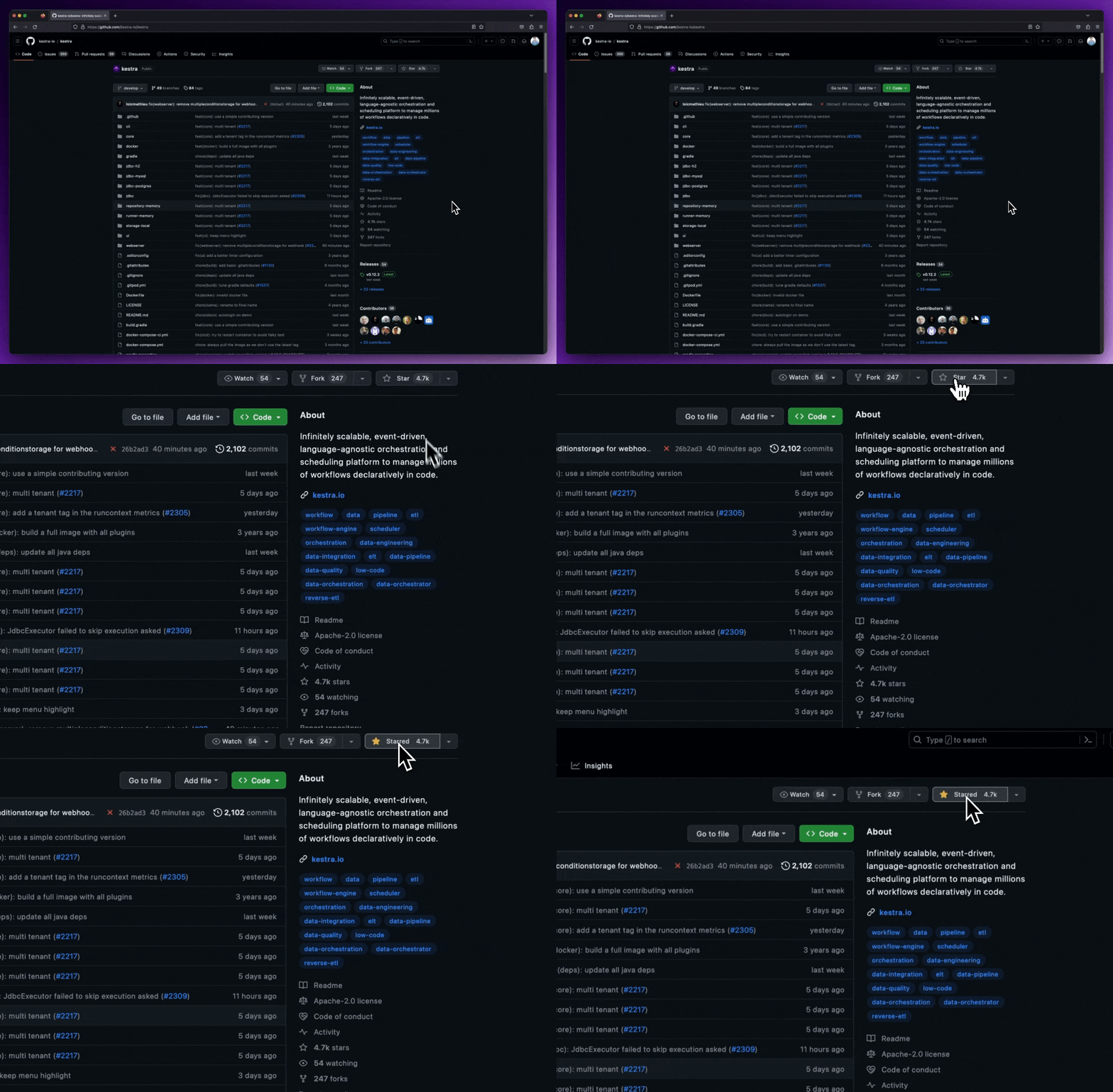
We release new versions every month. Give the repository a star to stay up to date with the latest releases and get notified about future updates.
Getting Started
Follow the steps below to start local development.
Prerequisites
Make sure that Docker is installed and running on your system. The default installation requires the following:
Launch Kestra
Download the Docker Compose file:
curl -o docker-compose.yml https://raw.githubusercontent.com/kestra-io/kestra/develop/docker-compose.yml
Alternatively, you can use wget https://raw.githubusercontent.com/kestra-io/kestra/develop/docker-compose.yml.
Start Kestra:
docker
编辑推荐精选


扣子-AI办公
职场AI,就用扣子
AI办公助手,复杂任务高效处理。办公效率低?扣子空间AI助手支持播客生成、PPT制作、网页开发及报告写作,覆盖科研、商业、舆情等领域的专家Agent 7x24小时响应,生活工作无缝切换,提升50%效率!


堆友
多风格AI绘画神器
堆友平台由阿里巴巴设计团队创建,作为一款AI驱动的设计工具,专为设计师提供一站式增长服务。功能覆盖海量3D素材、AI绘画、实时渲染以及专业抠图,显著提升设计品质和效率。平台不仅提供工具,还是一个促进创意交流和个人发展的空间,界面友好,适合所有级别的设计师和创意工作者。


码上飞
零代码AI应用开发平台
零代码AI应用开发平台,用户只需一句话简单描述需求,AI能自动生成小程序、APP或H5网页应用,无需编写代码。


Vora
免费创建高清无水印Sora视频
Vora是一个免费创建高清无水印Sora视频的AI工具


Refly.AI
最适合小白的AI自动化工作流平台
无需编码,轻松生成可复用、可变现的AI自动化工作流


酷表ChatExcel
大模型驱动的Excel数据处理工具
基于大模型交互的表格处理系统,允许用户通过对话方式完成数据整理和可视化分析。系统采用机器学习算法解析用户指令,自动执行排序、公式计算和数据透视等操作,支持多种文件格式导入导出。数据处理响应速度保持在0.8秒以内,支持超过100万行数据的即时分析。


TRAE编程
AI辅助编程,代码自动修复
Trae是一种自适应的集成开发环境(IDE),通过自动化和多元协作改变开发流程。利用Trae,团队能够更快速、精确地编写和部署代码,从而提高编程效率和项目交付速度。Trae具备上下文感知和代码自动完成功能,是提升开发效率的理想工具。


AIWritePaper论文写作
AI论文写作指导平台
AIWritePaper论文写作是一站式AI论文写作辅助工具,简化了选题、文献检索至论文撰写的整个过程。通过简单设定,平台可快速生成高质量论文大纲和全文,配合图表、参考文献等一应俱全,同时提供开题报告和答辩PPT等增值服务,保障数据安全,有效提升写作效率和论文质量。


博思AIPPT
AI一键生成PPT,就用博思AIPPT!
博思AIPPT,新一代的AI生成PPT平台,支持智能生成PPT、AI美化PPT、文本&链接生成PPT、导入Word/PDF/Markdown文档生成PPT等,内置海量精美PPT模板,涵盖商务、教育、科技等不同风格,同时针对每个页面提供多种版式,一键自适应切换,完美适配各种办公场景。


潮际好麦
AI赋能电商视觉革命,一站式智能商拍平台
潮际好麦深耕服装行业,是国内AI试衣效果最好的软件。使用先进AIGC能力为电商卖家批量提供优质的、低成本的商拍图。合作品牌有Shein、Lazada、安踏、百丽等65个国内外头部品牌,以及国内10万+淘宝、天猫、京东等主流平台的品牌商家,为卖家节省将近85%的出图成本,提升约3倍出图效率,让品牌能够快速上架。

推荐工具精选


AI云服务特惠
懂AI专属折扣关注微信公众号
最新AI工具、AI资讯
独家AI资源、AI项目落地

微信扫一扫关注公众号