



Cosmopolitan
Cosmopolitan Libc makes C a build-once run-anywhere language, like Java, except it doesn't need an interpreter or virtual machine. Instead, it reconfigures stock GCC and Clang to output a POSIX-approved polyglot format that runs natively on Linux + Mac + Windows + FreeBSD + OpenBSD + NetBSD + BIOS with the best possible performance and the tiniest footprint imaginable.
Background
For an introduction to this project, please read the actually portable executable blog post and cosmopolitan libc website. We also have API documentation.
Getting Started
You can start by obtaining a release of our cosmocc compiler from
https://cosmo.zip/pub/cosmocc/.
mkdir -p cosmocc
cd cosmocc
wget https://cosmo.zip/pub/cosmocc/cosmocc.zip
unzip cosmocc.zip
Here's an example program we can write:
// hello.c
#include <stdio.h>

int main() {
  printf("hello world\n");
}
It can be compiled as follows:
cosmocc -o hello hello.c
./hello
The Cosmopolitan Libc runtime links some heavyweight troubleshooting features by default, which are very useful for developers and admins. Here's how you can log system calls:
./hello --strace
Here's how you can get a much more verbose log of function calls:
./hello --ftrace
You can use the Cosmopolitan's toolchain to build conventional open source projects which use autotools. This strategy normally works:
export CC=x86_64-unknown-cosmo-cc
export CXX=x86_64-unknown-cosmo-c++
./configure --prefix=/opt/cosmos/x86_64
make -j
make install
Cosmopolitan Source Builds
Cosmopolitan can be compiled from source on any of our supported platforms. The Makefile will download cosmocc automatically.
It's recommended that you install a systemwide APE Loader. This command
requires sudo access to copy the ape command to a system folder and
register with binfmt_misc on Linux, for even more performance.
ape/apeinstall.sh
You can now build the mono repo with any modern version of GNU Make. To make life easier, we've included one in the cosmocc toolchain, which is guaranteed to be compatible and furthermore includes our extensions for doing build system sandboxing.
build/bootstrap/make -j8
o//examples/hello
Since the Cosmopolitan repository is very large, you might only want to build one particular thing. Here's an example of a target that can be compiled relatively quickly, which is a simple POSIX test that only depends on core LIBC packages.
rm -rf o//libc o//test
build/bootstrap/make o//test/posix/signal_test
o//test/posix/signal_test
Sometimes it's desirable to build a subset of targets, without having to
list out each individual one. For example if you wanted to build and run
all the unit tests in the TEST_POSIX package, you could say:
build/bootstrap/make o//test/posix
Cosmopolitan provides a variety of build modes. For example, if you want really tiny binaries (as small as 12kb in size) then you'd say:
build/bootstrap/make m=tiny
You can furthermore cut out the bloat of other operating systems, and have Cosmopolitan become much more similar to Musl Libc.
build/bootstrap/make m=tinylinux
For further details, see //build/config.mk.
Debugging
To print a log of system calls to stderr:
cosmocc -o hello hello.c
./hello --strace
To print a log of function calls to stderr:
cosmocc -o hello hello.c
./hello --ftrace
Both strace and ftrace use the unbreakable kprintf() facility, which is able to be sent to a file by setting an environment variable.
export KPRINTF_LOG=log
./hello --strace
GDB
Here's the recommended ~/.gdbinit config:
set host-charset UTF-8
set target-charset UTF-8
set target-wide-charset UTF-8
set osabi none
set complaints 0
set confirm off
set history save on
set history filename ~/.gdb_history
define asm
  layout asm
  layout reg
end
define src
  layout src
  layout reg
end
src
You normally run the .dbg file under gdb. If you need to debug the
`` file itself, then you can load the debug symbols independently as
gdb foo -ex 'add-symbol-file foo.dbg 0x401000'
Platform Notes
Shells
If you use zsh and have trouble running APE programs try sh -c ./prog
or simply upgrade to zsh 5.9+ (since we patched it two years ago). The
same is the case for Python subprocess, old versions of fish, etc.
Linux
Some Linux systems are configured to launch MZ executables under WINE. Other distros configure their stock installs so that APE programs will print "run-detectors: unable to find an interpreter". For example:
jart@ubuntu:~$ wget https://cosmo.zip/pub/cosmos/bin/dash
jart@ubuntu:~$ chmod +x dash
jart@ubuntu:~$ ./dash
run-detectors: unable to find an interpreter for ./dash
You can fix that by registering APE with binfmt_misc:
sudo wget -O /usr/bin/ape https://cosmo.zip/pub/cosmos/bin/ape-$(uname -m).elf
sudo chmod +x /usr/bin/ape
sudo sh -c "echo ':APE:M::MZqFpD::/usr/bin/ape:' >/proc/sys/fs/binfmt_misc/register"
sudo sh -c "echo ':APE-jart:M::jartsr::/usr/bin/ape:' >/proc/sys/fs/binfmt_misc/register"
You should be good now. APE will not only work, it'll launch executables
400µs faster now too. However if things still didn't work out, it's also
possible to disable binfmt_misc as follows:
sudo sh -c 'echo -1 > /proc/sys/fs/binfmt_misc/cli'     # remove Ubuntu's MZ interpreter
sudo sh -c 'echo -1 > /proc/sys/fs/binfmt_misc/status'  # remove ALL binfmt_misc entries
WSL
It's normally unsafe to use APE in a WSL environment, because it tries to run MZ executables as WIN32 binaries within the WSL environment. In order to make it safe to use Cosmopolitan software on WSL, run this:
sudo sh -c "echo -1 > /proc/sys/fs/binfmt_misc/WSLInterop"
Discord Chatroom
The Cosmopolitan development team collaborates on the Redbean Discord server. You're welcome to join us! https://discord.gg/FwAVVu7eJ4
Support Vector
| Platform | Min Version | Circa |
|---|---|---|
| AMD | K8 | 2003 |
| Intel | Core | 2006 |
| Linux | 2.6.18 | 2007 |
| Windows | 8 [1] | 2012 |
| Darwin (macOS) | 23.1.0+ | 2023 |
| OpenBSD | 7 | 2021 |
| FreeBSD | 13 | 2020 |
| NetBSD | 9.2 | 2021 |
[1] See our vista branch for a community supported version of Cosmopolitan that works on Windows Vista and Windows 7.
Special Thanks
Funding for this project is crowdsourced using GitHub Sponsors and Patreon. Your support is what makes this project possible. Thank you! We'd also like to give special thanks to the following groups and individuals:
For publicly sponsoring our work at the highest tier.
编辑推荐精选
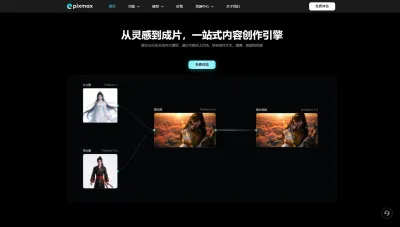

Pixmax
一站式AI短剧创作平台
Pixmax专注打造下一代“ AI 视觉创作引擎”,整合行业顶尖 AI 大模型、工工业级精准控制及企业级协同管理功能,是全方位的 AI 内容创作平台。


豆包
字节跳动旗下 AI 智能助手
字节跳动旗下 AI 智能助手


GPT Plus|Pro充值
GPT充值
支持 ChatGPT Plus / Pro 充值服务,支付便捷,自动发货,售后可查。
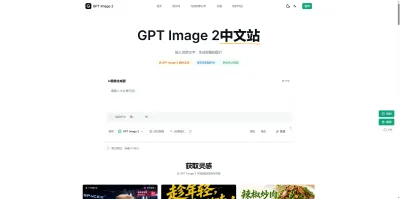

GPT Image 2中文站
AI 图片生成平台
GPT Image 2 是面向用户的 AI 图片生成平台,支持文生图、图生图及多模型创意工作流。

Vecbase
你的AI Agent团队
Vecbase 是专为 AI 团队打造的智能工作空间,将数据管理、模型协作与知识沉淀整合于一处。算法、产品与业务在同一平台无缝协同,让从数据到 AI 应用的落地更快一步。


音述AI
全球首个AI音乐社区
音述AI是全球首个AI音乐社区,致力让每个人都能用音乐表达自我。音述AI提供零门槛AI创作工具,独创GETI法则帮助用户精准定义音乐风格,AI润色功能支持自动优化作品质感。音述AI支持交流讨论、二次创作与价值变现。针对中文用户的语言习惯与文化背景进行专门优化,支持国风融合、C-pop等本土音乐标签,让技术更好地承载人文表达。


QoderWork
阿里Qoder团队推出的桌面端AI智能体
QoderWork 是阿里推出的本地优先桌面 AI 智能体,适配 macOS14+/Windows10+,以自然语言交互实现文件管理、数据分析、AI 视觉生成、浏览器自动化等办公任务,自主拆解执行复杂工作流,数据本地运行零上传,技能市场可无限扩展,是高效的 Agentic 生产力办公助手。


lynote.ai
一站式搞定所有学习需求
不再被海量信息淹没,开始真正理解知识。Lynote 可摘要 YouTube 视频、PDF、文章等内容。即时创建笔记,检测 AI 内容并下载资料,将您的学习效率提升 10 倍。


AniShort
为AI短剧协作而生
专为AI短剧协作而生的AniShort正式发布,深度重构AI短剧全流程生产模式,整合创意策划、制作执行、实时协作、在线审片、资产复用等全链路功能,独创无限画布、双轨并行工业化工作流与Ani智能体助手,集成多款主流AI大模型,破解素材零散、版本混乱、沟通低效等行业痛点,助力3人团队效率提升800%,打造标准化、可追溯的AI短剧量产体系,是AI短剧团队协同创作、提升制作效率的核心工具。


seedancetwo2.0
能听懂你表达的视频模型
Seedance two是基于seedance2.0的中国大模型,支持图像、视频、音频、文本四种模态输入,表达方式更丰富,生成也更可控。

推荐工具精选


AI云服务特惠
懂AI专属折扣关注微信公众号
最新AI工具、AI资讯
独家AI资源、AI项目落地

微信扫一扫关注公众号