


<p align="center"> <sup>Kindly supported by:</sup><br> <a href="https://terminaltrove.com/?utm_campaign=github&utm_medium=referral&utm_content=web-check&utm_source=wcgh"> <img src="https://i.ibb.co/8jrrcZ0/IMG-7210.jpg" width="300" alt="Terminal Trove"> <br> <strong>The $HOME of all things in the terminal.</strong> </a> <br> <a href="https://terminaltrove.com/newsletter?utm_campaign=github&utm_medium=referral&utm_content=web-check&utm_source=wcgh"> <sub>Find your next CLI / TUI tool and more at Terminal Trove,</sub> <br> <sup>Get updates on new tools on our newsletter.</sup> </a> </p>
Contents
About
Get an insight into the inner-workings of a given website: uncover potential attack vectors, analyse server architecture, view security configurations, and learn what technologies a site is using.
Currently the dashboard will show: IP info, SSL chain, DNS records, cookies, headers, domain info, search crawl rules, page map, server location, redirect ledger, open ports, traceroute, DNS security extensions, site performance, trackers, associated hostnames, carbon footprint. Stay tuned, as I'll add more soon!
The aim is to help you easily understand, optimize and secure your website.
Screenshot
<details> <summary>Expand Screenshot</summary>

Live Demo
A hosted version can be accessed at: web-check.as93.net
Mirror
The source for this repo is mirrored to CodeBerg, available at: codeberg.org/alicia/web-check
Status
Build & Deploys:

 <br />
Repo Management & Miscellaneous:
<br />
Repo Management & Miscellaneous: 

Features
<details open> <summary><b>Click to expand / collapse section</b></summary><sup>Note this list needs updating, many more jobs have been added since...</sup>
The following section outlines the core features, and briefly explains why this data might be useful for you to know, as well as linking to further resources for learning more.
<details> <summary><b>IP Info</b></summary>Description
An IP address (Internet Protocol address) is a numerical label assigned to each device connected to a network / the internet. The IP associated with a given domain can be found by querying the Domain Name System (DNS) for the domain's A (address) record.
Use Cases
Finding the IP of a given server is the first step to conducting further investigations, as it allows us to probe the server for additional info. Including creating a detailed map of a target's network infrastructure, pinpointing the physical location of a server, identifying the hosting service, and even discovering other domains that are hosted on the same IP address.
Useful Links
</details> <details> <summary><b>SSL Chain</b></summary> <img width="300" src="https://i.ibb.co/kB7LsV1/wc-ssl.png" align="right" />Description
SSL certificates are digital certificates that authenticate the identity of a website or server, enable secure encrypted communication (HTTPS), and establish trust between clients and servers. A valid SSL certificate is required for a website to be able to use the HTTPS protocol, and encrypt user + site data in transit. SSL certificates are issued by Certificate Authorities (CAs), which are trusted third parties that verify the identity and legitimacy of the certificate holder.
Use Cases
SSL certificates not only provide the assurance that data transmission to and from the website is secure, but they also provide valuable OSINT data. Information from an SSL certificate can include the issuing authority, the domain name, its validity period, and sometimes even organization details. This can be useful for verifying the authenticity of a website, understanding its security setup, or even for discovering associated subdomains or other services.
Useful Links
</details> <details> <summary><b>DNS Records</b></summary> <img width="300" src="https://i.ibb.co/7Q1kMwM/wc-dns.png" align="right" />Description
This task involves looking up the DNS records associated with a specific domain. DNS is a system that translates human-readable domain names into IP addresses that computers use to communicate. Various types of DNS records exist, including A (address), MX (mail exchange), NS (name server), CNAME (canonical name), and TXT (text), among others.
Use Cases
Extracting DNS records can provide a wealth of information in an OSINT investigation. For example, A and AAAA records can disclose IP addresses associated with a domain, potentially revealing the location of servers. MX records can give clues about a domain's email provider. TXT records are often used for various administrative purposes and can sometimes inadvertently leak internal information. Understanding a domain's DNS setup can also be useful in understanding how its online infrastructure is built and managed.
Useful Links
- What are DNS records? (via Cloudflare learning)
- DNS Record Types
- RFC-1035 - DNS
- DNS Lookup (via MxToolbox)
Description
The Cookies task involves examining the HTTP cookies set by the target website. Cookies are small pieces of data stored on the user's computer by the web browser while browsing a website. They hold a modest amount of data specific to a particular client and website, such as site preferences, the state of the user's session, or tracking information.
Use Cases
Cookies can disclose information about how the website tracks and interacts with its users. For instance, session cookies can reveal how user sessions are managed, and tracking cookies can hint at what kind of tracking or analytics frameworks are being used. Additionally, examining cookie policies and practices can offer insights into the site's security settings and compliance with privacy regulations.
Useful Links
- HTTP Cookie Docs (Mozilla)
- What are Cookies (via Cloudflare Learning)
- Testing for Cookie Attributes (OWASP)
- RFC-6265 - Coolies
Description
Robots.txt is a file found (usually) at the root of a domain, and is used to implement the Robots Exclusion Protocol (REP) to indicate which pages should be ignored by which crawlers and bots. It's good practice to avoid search engine crawlers from over-loading your site, but should not be used to keep pages out of search results (use the noindex meta tag or header instead).
Use Cases
It's often useful to check the robots.txt file during an investigation, as it can sometimes disclose the directories and pages that the site owner doesn't want to be indexed, potentially because they contain sensitive information, or reveal the existence of otherwise hidden or unlinked directories. Additionally, understanding crawl rules may offer insights into a website's SEO strategies.
Useful Links
- Google Search Docs - Robots.txt
- Learn about robots.txt (via Moz.com)
- RFC-9309 - Robots Exclusion Protocol
- Robots.txt - wiki
Description
The Headers task involves extracting and interpreting the HTTP headers sent by the target website during the request-response cycle. HTTP headers are key-value pairs sent at the start of an HTTP response, or before the actual data. Headers contain important directives for how to handle the data being transferred, including cache policies, content types, encoding, server information, security policies, and more.
Use Cases
Analyzing HTTP headers can provide significant insights in an OSINT investigation. Headers can reveal specific server configurations, chosen technologies, caching directives, and various security settings. This information can help to determine a website's underlying technology stack, server-side security measures, potential vulnerabilities, and general operational practices.
Useful Links
- HTTP Headers - Docs
- RFC-7231 Section 7 - Headers
- List of header response fields
- OWASP Secure Headers Project
Description
Using Lighthouse, the Quality Metrics task measures the performance, accessibility, best practices, and SEO of the target website. This returns a simple checklist of 100 core metrics, along with a score for each category, to gauge the overall quality of a given site.
Use Cases
Useful for assessing a site's technical health, SEO issues, identify vulnerabilities, and ensure compliance with standards.
Useful Links
- Lighthouse Docs
- Google Page Speed Tools
- W3 Accessibility Tools
- Google Search Console
- SEO Checker
- PWA Builder
Description
The Server Location task determines the physical location of the server hosting a given website based on its IP address. This is done by looking up the IP in a location database, which maps the IP to a lat + long of known data centers and ISPs. From the latitude and longitude, it's then possible to show additional contextual info, like a pin on the map, along with address, flag, time zone, currency, etc.
Use Cases
Knowing the server location is a good first step in better understanding a website. For site owners this aids in optimizing content delivery, ensuring compliance with data residency requirements, and identifying potential latency issues that may impact user experience in specific geographical regions. And for security researcher, assess the risk posed by specific regions or jurisdictions regarding cyber threats and regulations.
Useful Links
</details> <details> <summary><b>Associated Hosts</b></summary> <img width="300" src="https://i.ibb.co/25j1sT7/wc-hosts.png" align="right" />Description
This task involves identifying and listing all domains and subdomains (hostnames) that are associated with the website's primary domain. This process often involves DNS enumeration to discover any linked domains and hostnames, as well as looking at known DNS records.
Use Cases
During an investigation, understanding the full scope of a target's web presence is critical. Associated domains could lead to uncovering related projects, backup sites, development/test sites, or services linked to the main site. These can sometimes provide additional information or potential security vulnerabilities. A comprehensive list of associated domains and hostnames can also give an overview of the organization's structure and online footprint.
Useful Links
- DNS Enumeration - Wiki
- OWASP - Enumerate Applications on Webserver
- DNS Enumeration - DNS Dumpster
- Subdomain Finder
Description
This task traces the sequence of HTTP redirects that occur from the original URL to the final destination URL. An HTTP redirect is a response with a status code that advises the client to go to another URL. Redirects can occur for several reasons, such as URL normalization (directing to the www version of the site), enforcing HTTPS, URL shorteners, or forwarding users to a new site location.
Use Cases
Understanding the redirect chain can be useful for several reasons. From a security perspective, long or complicated redirect chains can be a sign of potential security risks, such as unencrypted redirects in the chain. Additionally, redirects can impact website performance and SEO, as each redirect introduces additional round-trip-time (RTT). For OSINT, understanding the redirect chain can help identify relationships between different domains or reveal the use of certain technologies or hosting providers.
Useful Links
</details> <details> <summary><b>TXT Records</b></summary><img width="300"
编辑推荐精选
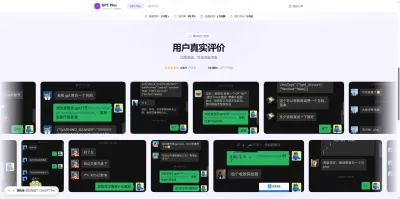

GPT Plus|Pro充值
GPT充值
支持 ChatGPT Plus / Pro 充值服务,支付便捷,自动发货,售后可查。
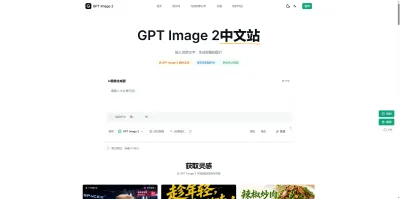

GPT Image 2中文站
AI 图片生成平台
GPT Image 2 是面向用户的 AI 图片生成平台,支持文生图、图生图及多模型创意工作流。

Vecbase
你的AI Agent团队
Vecbase 是专为 AI 团队打造的智能工作空间,将数据管理、模型协作与知识沉淀整合于一处。算法、产品与业务在同一平台无缝协同,让从数据到 AI 应用的落地更快一步。


音述AI
全球首个AI音乐社区
音述AI是全球首个AI音乐社区,致力让每个人都能用音乐表达自我。音述AI提供零门槛AI创作工具,独创GETI法则帮助用户精准定义音乐风格,AI润色功能支持自动优化作品质感。音述AI支持交流讨论、二次创作与价值变现。针对中文用户的语言习惯与文化背景进行专门优化,支持国风融合、C-pop等本土音乐标签,让技术更好地承载人文表达。


QoderWork
阿里Qoder团队推出的桌面端AI智能体
QoderWork 是阿里推出的本地优先桌面 AI 智能体,适配 macOS14+/Windows10+,以自然语言交互实现文件管理、数据分析、AI 视觉生成、浏览器自动化等办公任务,自主拆解执行复杂工作流,数据本地运行零上传,技能市场可无限扩展,是高效的 Agentic 生产力办公助手。


lynote.ai
一站式搞定所有学习需求
不再被海量信息淹没,开始真正理解知识。Lynote 可摘要 YouTube 视频、PDF、文章等内容。即时创建笔记,检测 AI 内容并下载资料,将您的学习效率提升 10 倍。


AniShort
为AI短剧协作而生
专为AI短剧协作而生的AniShort正式发布,深度重构AI短剧全流程生产模式,整合创意策划、制作执行、实时协作、在线审片、资产复用等全链路功能,独创无限画布、双轨并行工业化工作流与Ani智能体助手,集成多款主流AI大模型,破解素材零散、版本混乱、沟通低效等行业痛点,助力3人团队效率提升800%,打造标准化、可追溯的AI短剧量产体系,是AI短剧团队协同创作、提升制作效率的核心工具。


seedancetwo2.0
能听懂你表达的视频模型
Seedance two是基于seedance2.0的中国大模型,支持图像、视频、音频、文本四种模态输入,表达方式更丰富,生成也更可控。


nano-banana纳米香蕉中文站
国内直接访问,限时3折
输入简单文字,生成想要的图片,纳米香蕉中文站基于 Google 模型的 AI 图片生成网站,支持文字生图、图生图。官网价格限时3折活动


扣子-AI办公
职场AI,就用扣子
AI办公助手,复杂任务高效处理。办公效率低?扣子空间AI助手支持播客生成、PPT制作、网页开发及报告写作,覆盖科研、商业、舆情等领域的专家Agent 7x24小时响应,生活工作无缝切换,提升50%效率!

推荐工具精选


AI云服务特惠
懂AI专属折扣关注微信公众号
最新AI工具、AI资讯
独家AI资源、AI项目落地

微信扫一扫关注公众号