


twscrape
<div align="center"><img src="https://badgen.net/pypi/v/twscrape" alt="version" /> <img src="https://badgen.net/pypi/python/twscrape" alt="py versions" /> <img src="https://badgen.net/pypi/dm/twscrape" alt="downloads" /> <img src="https://badgen.net/github/license/vladkens/twscrape" alt="license" /> <img src="https://badgen.net/static/-/buy%20me%20a%20coffee/ff813f?icon=buymeacoffee&label" alt="donate" />
</div>Twitter GraphQL API implementation with SNScrape data models.
<div align="center"> <img src=".github/example.png" alt="example of cli usage" height="400px"> </div>Install
pip install twscrape
Or development version:
pip install git+https://github.com/vladkens/twscrape.git
Features
- Support both Search & GraphQL Twitter API
- Async/Await functions (can run multiple scrapers in parallel at the same time)
- Login flow (with receiving verification code from email)
- Saving/restoring account sessions
- Raw Twitter API responses & SNScrape models
- Automatic account switching to smooth Twitter API rate limits
Usage
Since this project works through an authorized API, accounts need to be added. You can register and add an account yourself. You can also google sites that provide these things.
The email password is needed to get the code to log in to the account automatically (via imap protocol).
Data models:
import asyncio
from twscrape import API, gather
from twscrape.logger import set_log_level

async def main():
    api = API()  # or API("path-to.db") - default is `accounts.db`

    # ADD ACCOUNTS (for CLI usage see BELOW)
    await api.pool.add_account("user1", "pass1", "u1@example.com", "mail_pass1")
    await api.pool.add_account("user2", "pass2", "u2@example.com", "mail_pass2")
    await api.pool.login_all()

    # or add account with COOKIES (with cookies login not required)
    cookies = "abc=12; ct0=xyz"  # or '{"abc": "12", "ct0": "xyz"}'
    await api.pool.add_account("user3", "pass3", "u3@mail.com", "mail_pass3", cookies=cookies)

    # API USAGE

    # search (latest tab)
    await gather(api.search("elon musk", limit=20))  # list[Tweet]
    # change search tab (product), can be: Top, Latest (default), Media
    await gather(api.search("elon musk", limit=20, kv={"product": "Top"}))

    # tweet info
    tweet_id = 20
    await api.tweet_details(tweet_id)  # Tweet
    await gather(api.retweeters(tweet_id, limit=20))  # list[User]

    # Note: this method have small pagination from X side, like 5 tweets per query
    await gather(api.tweet_replies(tweet_id, limit=20))  # list[Tweet]

    # get user by login
    user_login = "xdevelopers"
    await api.user_by_login(user_login)  # User

    # user info
    user_id = 2244994945
    await api.user_by_id(user_id)  # User
    await gather(api.following(user_id, limit=20))  # list[User]
    await gather(api.followers(user_id, limit=20))  # list[User]
    await gather(api.verified_followers(user_id, limit=20))  # list[User]
    await gather(api.subscriptions(user_id, limit=20))  # list[User]
    await gather(api.user_tweets(user_id, limit=20))  # list[Tweet]
    await gather(api.user_tweets_and_replies(user_id, limit=20))  # list[Tweet]

    # list info
    list_id = 123456789
    await gather(api.list_timeline(list_id))

    # NOTE 1: gather is a helper function to receive all data as list, FOR can be used as well:
    async for tweet in api.search("elon musk"):
        print(tweet.id, tweet.user.username, tweet.rawContent)  # tweet is `Tweet` object

    # NOTE 2: all methods have `raw` version (returns `httpx.Response` object):
    async for rep in api.search_raw("elon musk"):
        print(rep.status_code, rep.json())  # rep is `httpx.Response` object

    # change log level, default info
    set_log_level("DEBUG")

    # Tweet & User model can be converted to regular dict or json, e.g.:
    doc = await api.user_by_id(user_id)  # User
    doc.dict()  # -> python dict
    doc.json()  # -> json string

if __name__ == "__main__":
    asyncio.run(main())
Depraceted API methods (no more available in X)
Stoping iteration with break
In order to correctly release an account in case of break in loop, a special syntax must be used. Otherwise, Python's events loop will release lock on the account sometime in the future. See explanation here.
from contextlib import aclosing

async with aclosing(api.search("elon musk")) as gen:
    async for tweet in gen:
        if tweet.id < 200:
            break
CLI
Get help on CLI commands
# show all commands
twscrape

# help on specific comand
twscrape search --help
Add accounts
To add accounts use add_accounts command. Command syntax is:
twscrape add_accounts <file_path> <line_format>
Where:
<line_format> is format of line if accounts file splited by delimeter. Possible tokens:
username– requiredpassword– requiredemail– requiredemail_password– to receive email code (you can use--manualmode to get code)cookies– can be any parsable format (string, json, base64 string, etc)_– skip column from parse
Tokens should be splited by delimeter, usually ":" used.
Example:
I have account files named order-12345.txt with format:
username:password:email:email password:user_agent:cookies
Command to add accounts will be (user_agent column skiped with _):
twscrape add_accounts ./order-12345.txt username:password:email:email_password:_:cookies
Login accounts
Note: If you added accounts with cookies, login not required.
Run:
twscrape login_accounts
twscrape will start login flow for each new account. If X will ask to verify email and you provided email_password in add_account, then twscrape will try to receive verification code by IMAP protocol. After success login account cookies will be saved to db file for future use.
Manual email verification
In case your email provider not support IMAP protocol (ProtonMail, Tutanota, etc) or IMAP is disabled in settings, you can enter email verification code manually. To do this run login command with --manual flag.
Example:
twscrape login_accounts --manual
twscrape relogin user1 user2 --manual
twscrape relogin_failed --manual
Get list of accounts and their statuses
twscrape accounts

# Output:
# username  logged_in  active  last_used            total_req  error_msg
# user1     True       True    2023-05-20 03:20:40  100        None
# user2     True       True    2023-05-20 03:25:45  120        None
# user3     False      False   None                 120        Login error
Re-login accounts
It is possible to re-login specific accounts:
twscrape relogin user1 user2
Or retry login for all failed logins:
twscrape relogin_failed
Use different accounts file
Useful if using a different set of accounts for different actions
twscrape --db test-accounts.db <command>
Search commands
twscrape search "QUERY" --limit=20
twscrape tweet_details TWEET_ID
twscrape tweet_replies TWEET_ID --limit=20
twscrape retweeters TWEET_ID --limit=20
twscrape user_by_id USER_ID
twscrape user_by_login USERNAME
twscrape following USER_ID --limit=20
twscrape followers USER_ID --limit=20
twscrape verified_followers USER_ID --limit=20
twscrape subscriptions USER_ID --limit=20
twscrape user_tweets USER_ID --limit=20
twscrape user_tweets_and_replies USER_ID --limit=20
The default output is in the console (stdout), one document per line. So it can be redirected to the file.
twscrape search "elon mask lang:es" --limit=20 > data.txt
By default, parsed data is returned. The original tweet responses can be retrieved with --raw flag.
twscrape search "elon mask lang:es" --limit=20 --raw
Proxy
There are few options to use proxies.
- You can add proxy per account
proxy = "http://login:pass@example.com:8080"
await api.pool.add_account("user4", "pass4", "u4@mail.com", "mail_pass4", proxy=proxy)
- You can use global proxy for all accounts
proxy = "http://login:pass@example.com:8080"
api = API(proxy=proxy)
doc = await api.user_by_login("elonmusk")
- Use can set proxy with environemt variable
TWS_RPOXY:
TWS_PROXY=socks5://user:pass@127.0.0.1:1080 twscrape user_by_login elonmusk
- You can change proxy any time like:
api.proxy = "socks5://user:pass@127.0.0.1:1080"
doc = await api.user_by_login("elonmusk")  # new proxy will be used
api.proxy = None
doc = await api.user_by_login("elonmusk")  # no proxy used
- Proxy priorities
api.proxyhave top priorityenv.proxywill be used ifapi.proxyis Noneacc.proxyhave lowest priotity
So if you want to use proxy PER ACCOUNT, do NOT override proxy with env variable or by passing proxy param to API.
Note: If proxy not working, exception will be raised from API class.
Environment variables
TWS_WAIT_EMAIL_CODE– timeout for email verification code during login (default:30, in seconds)TWS_RAISE_WHEN_NO_ACCOUNT– raiseNoAccountErrorexception when no available accounts right now, instead of waiting for availability (default:false, possible value:false/0/true/1)
Limitations
After 1 July 2023 Twitter introduced new limits and still continue to update it periodically.
The basic behaviour is as follows:
- the request limit is updated every 15 minutes for each endpoint individually
- e.g. each account have 50 search requests / 15 min, 50 profile requests / 15 min, etc.
API data limits:
user_tweets&user_tweets_and_replies– can return ~3200 tweets maximum
Articles
See also
- twitter-advanced-search – guide on search filters
- twitter-api-client – Implementation of Twitter's v1, v2, and GraphQL APIs
- snscrape – is a scraper for social networking services (SNS)
- twint – Twitter Intelligence
编辑推荐精选
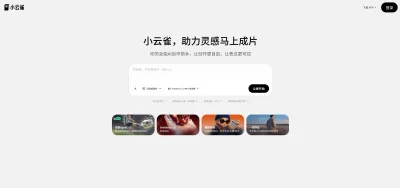

小云雀
字节旗下AI内容创作Agent
小云雀是字节跳动旗下剪映团队推出的AI内容创作Agent,主打”一句话打造一个爆款”的零门槛创作体验。用户只需输入一句指令,可自动生成15-60秒短视频、数字人口播视频、风格化海报等内容,支持200+可商用数字人形象和19种语言及方言。小云雀核心功能包括智能成片、AI设计、照片会说话、爆款复刻等,已接入豆包大模型、DeepSeek Chat及自研Seedance 2.0视频生成模型、Seedream 5.0图像生成模型。目前支持安卓APP和网页版,每日登录可领取120积分。适合自媒体创作者、电商营销人员、教育工作者及普通用户使用,近期因用户量激增,视频生成排队时长可达8小时。


豆包
字节跳动旗下 AI 智能助手
字节跳动旗下 AI 智能助手
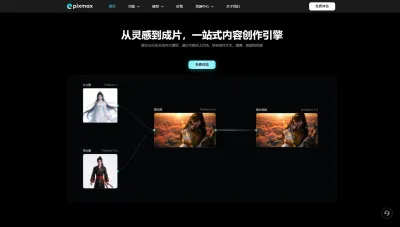

Pixmax
一站式AI短剧创作平台
Pixmax专注打造下一代“ AI 视觉创作引擎”,整合行业顶尖 AI 大模型、工工业级精准控制及企业级协同管理功能,是全方位的 AI 内容创作平台。

GPT Plus|Pro充值
GPT充值
支持 ChatGPT Plus / Pro 充值服务,支付便捷,自动发货,售后可查。


GPT Image 2中文站
AI 图片生成平台
GPT Image 2 是面向用户的 AI 图片生成平台,支持文生图、图生图及多模型创意工作流。


Vecbase
你的AI Agent团队
Vecbase 是专为 AI 团队打造的智能工作空间,将数据管理、模型协作与知识沉淀整合于一处。算法、产品与业务在同一平台无缝协同,让从数据到 AI 应用的落地更快一步。


音述AI
全球首个AI音乐社区
音述AI是全球首个AI音乐社区,致力让每个人都能用音乐表达自我。音述AI提供零门槛AI创作工具,独创GETI法则帮助用户精准定义音乐风格,AI润色功能支持自动优化作品质感。音述AI支持交流讨论、二次创作与价值变现。针对中文用户的语言习惯与文化背景进行专门优化,支持国风融合、C-pop等本土音乐标签,让技术更好地承载人文表达。


QoderWork
阿里Qoder团队推出的桌面端AI智能体
QoderWork 是阿里推出的本地优先桌面 AI 智能体,适配 macOS14+/Windows10+,以自然语言交互实现文件管理、数据分析、AI 视觉生成、浏览器自动化等办公任务,自主拆解执行复杂工作流,数据本地运行零上传,技能市场可无限扩展,是高效的 Agentic 生产力办公助手。


lynote.ai
一站式搞定所有学习需求
不再被海量信息淹没,开始真正理解知识。Lynote 可摘要 YouTube 视频、PDF、文章等内容。即时创建笔记,检测 AI 内容并下载资料,将您的学习效率提升 10 倍。


AniShort
为AI短剧协作而生
专为AI短剧协作而生的AniShort正式发布,深度重构AI短剧全流程生产模式,整合创意策划、制作执行、实时协作、在线审片、资产复用等全链路功能,独创无限画布、双轨并行工业化工作流与Ani智能体助手,集成多款主流AI大模型,破解素材零散、版本混乱、沟通低效等行业痛点,助力3人团队效率提升800%,打造标准化、可追溯的AI短剧量产体系,是AI短剧团队协同创作、提升制作效率的核心工具。

推荐工具精选


AI云服务特惠
懂AI专属折扣关注微信公众号
最新AI工具、AI资讯
独家AI资源、AI项目落地

微信扫一扫关注公众号