


Features
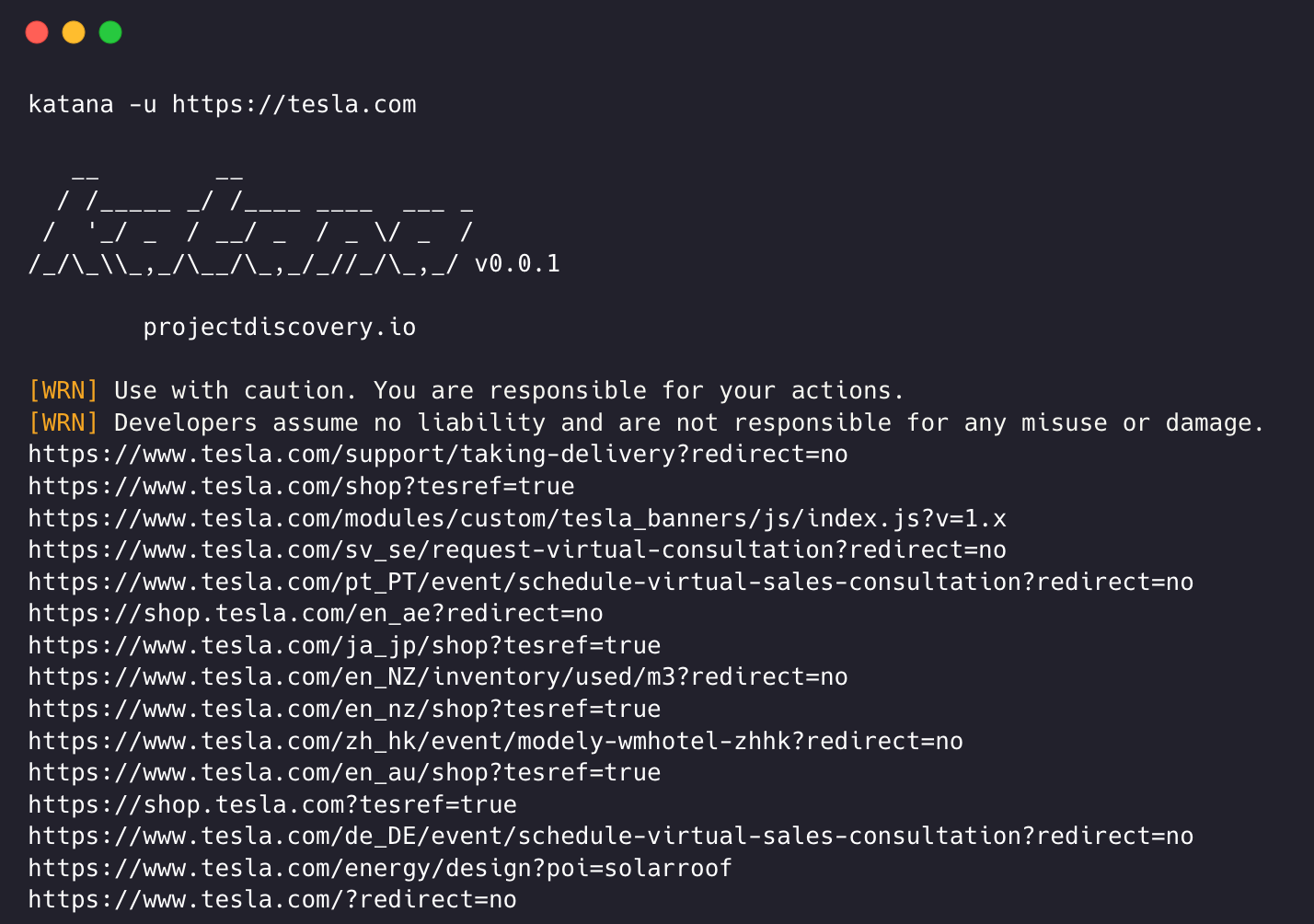
- Fast And fully configurable web crawling
- Standard and Headless mode
- Active and Passive mode
- JavaScript parsing / crawling
- Customizable automatic form filling
- Scope control - Preconfigured field / Regex
- Customizable output - Preconfigured fields
- INPUT - STDIN, URL and LIST
- OUTPUT - STDOUT, FILE and JSON
Installation
katana requires Go 1.18 to install successfully. To install, just run the below command or download pre-compiled binary from release page.
go install github.com/projectdiscovery/katana/cmd/katana@latest
More options to install / run katana-
<details> <summary>Docker</summary>To install / update docker to latest tag -
docker pull projectdiscovery/katana:latest
To run katana in standard mode using docker -
docker run projectdiscovery/katana:latest -u https://tesla.com
To run katana in headless mode using docker -
</details> <details> <summary>Ubuntu</summary>docker run projectdiscovery/katana:latest -u https://tesla.com -system-chrome -headless
It's recommended to install the following prerequisites -
sudo apt update
sudo snap refresh
sudo apt install zip curl wget git
sudo snap install golang --classic
wget -q -O - https://dl-ssl.google.com/linux/linux_signing_key.pub | sudo apt-key add -
sudo sh -c 'echo "deb http://dl.google.com/linux/chrome/deb/ stable main" >> /etc/apt/sources.list.d/google.list'
sudo apt update
sudo apt install google-chrome-stable
install katana -
</details>go install github.com/projectdiscovery/katana/cmd/katana@latest
Usage
katana -h
This will display help for the tool. Here are all the switches it supports.
Katana is a fast crawler focused on execution in automation
pipelines offering both headless and non-headless crawling.

Usage:
  ./katana [flags]

Flags:
INPUT:
   -u, -list string[]  target url / list to crawl
   -resume string      resume scan using resume.cfg
   -e, -exclude string[]  exclude host matching specified filter ('cdn', 'private-ips', cidr, ip, regex)

CONFIGURATION:
   -r, -resolvers string[]       list of custom resolver (file or comma separated)
   -d, -depth int                maximum depth to crawl (default 3)
   -jc, -js-crawl                enable endpoint parsing / crawling in javascript file
   -jsl, -jsluice                enable jsluice parsing in javascript file (memory intensive)
   -ct, -crawl-duration value    maximum duration to crawl the target for (s, m, h, d) (default s)
   -kf, -known-files string      enable crawling of known files (all,robotstxt,sitemapxml), a minimum depth of 3 is required to ensure all known files are properly crawled.
   -mrs, -max-response-size int  maximum response size to read (default 9223372036854775807)
   -timeout int                  time to wait for request in seconds (default 10)
   -aff, -automatic-form-fill    enable automatic form filling (experimental)
   -fx, -form-extraction         extract form, input, textarea & select elements in jsonl output
   -retry int                    number of times to retry the request (default 1)
   -proxy string                 http/socks5 proxy to use
   -H, -headers string[]         custom header/cookie to include in all http request in header:value format (file)
   -config string                path to the katana configuration file
   -fc, -form-config string      path to custom form configuration file
   -flc, -field-config string    path to custom field configuration file
   -s, -strategy string          Visit strategy (depth-first, breadth-first) (default "depth-first")
   -iqp, -ignore-query-params    Ignore crawling same path with different query-param values
   -tlsi, -tls-impersonate       enable experimental client hello (ja3) tls randomization
   -dr, -disable-redirects       disable following redirects (default false)

DEBUG:
   -health-check, -hc        run diagnostic check up
   -elog, -error-log string  file to write sent requests error log

HEADLESS:
   -hl, -headless                    enable headless hybrid crawling (experimental)
   -sc, -system-chrome               use local installed chrome browser instead of katana installed
   -sb, -show-browser                show the browser on the screen with headless mode
   -ho, -headless-options string[]   start headless chrome with additional options
   -nos, -no-sandbox                 start headless chrome in --no-sandbox mode
   -cdd, -chrome-data-dir string     path to store chrome browser data
   -scp, -system-chrome-path string  use specified chrome browser for headless crawling
   -noi, -no-incognito               start headless chrome without incognito mode
   -cwu, -chrome-ws-url string       use chrome browser instance launched elsewhere with the debugger listening at this URL
   -xhr, -xhr-extraction             extract xhr request url,method in jsonl output

PASSIVE:
   -ps, -passive                   enable passive sources to discover target endpoints
   -pss, -passive-source string[]  passive source to use for url discovery (waybackarchive,commoncrawl,alienvault)

SCOPE:
   -cs, -crawl-scope string[]       in scope url regex to be followed by crawler
   -cos, -crawl-out-scope string[]  out of scope url regex to be excluded by crawler
   -fs, -field-scope string         pre-defined scope field (dn,rdn,fqdn) or custom regex (e.g., '(company-staging.io|company.com)') (default "rdn")
   -ns, -no-scope                   disables host based default scope
   -do, -display-out-scope          display external endpoint from scoped crawling

FILTER:
   -mr, -match-regex string[]       regex or list of regex to match on output url (cli, file)
   -fr, -filter-regex string[]      regex or list of regex to filter on output url (cli, file)
   -f, -field string                field to display in output (url,path,fqdn,rdn,rurl,qurl,qpath,file,ufile,key,value,kv,dir,udir)
   -sf, -store-field string         field to store in per-host output (url,path,fqdn,rdn,rurl,qurl,qpath,file,ufile,key,value,kv,dir,udir)
   -em, -extension-match string[]   match output for given extension (eg, -em php,html,js)
   -ef, -extension-filter string[]  filter output for given extension (eg, -ef png,css)
   -mdc, -match-condition string    match response with dsl based condition
   -fdc, -filter-condition string   filter response with dsl based condition

RATE-LIMIT:
   -c, -concurrency int          number of concurrent fetchers to use (default 10)
   -p, -parallelism int          number of concurrent inputs to process (default 10)
   -rd, -delay int               request delay between each request in seconds
   -rl, -rate-limit int          maximum requests to send per second (default 150)
   -rlm, -rate-limit-minute int  maximum number of requests to send per minute

UPDATE:
   -up, -update                 update katana to latest version
   -duc, -disable-update-check  disable automatic katana update check

OUTPUT:
   -o, -output string                file to write output to
   -sr, -store-response              store http requests/responses
   -srd, -store-response-dir string  store http requests/responses to custom directory
   -or, -omit-raw                    omit raw requests/responses from jsonl output
   -ob, -omit-body                   omit response body from jsonl output
   -j, -jsonl                        write output in jsonl format
   -nc, -no-color                    disable output content coloring (ANSI escape codes)
   -silent                           display output only
   -v, -verbose                      display verbose output
   -debug                            display debug output
   -version                          display project version
Running Katana
Input for katana
katana requires url or endpoint to crawl and accepts single or multiple inputs.
Input URL can be provided using -u option, and multiple values can be provided using comma-separated input, similarly file input is supported using -list option and additionally piped input (stdin) is also supported.
URL Input
katana -u https://tesla.com
Multiple URL Input (comma-separated)
katana -u https://tesla.com,https://google.com
List Input
$ cat url_list.txt

https://tesla.com
https://google.com
katana -list url_list.txt
STDIN (piped) Input
echo https://tesla.com | katana
cat domains | httpx | katana
Example running katana -
katana -u https://youtube.com

   __        __
  / /_____ _/ /____ ____  ___ _
 /  '_/ _  / __/ _  / _ \/ _  /
/_/\_\\_,_/\__/\_,_/_//_/\_,_/ v0.0.1

      projectdiscovery.io

[WRN] Use with caution. You are responsible for your actions.
[WRN] Developers assume no liability and are not responsible for any misuse or damage.
https://www.youtube.com/
https://www.youtube.com/about/
https://www.youtube.com/about/press/
https://www.youtube.com/about/copyright/
https://www.youtube.com/t/contact_us/
https://www.youtube.com/creators/
https://www.youtube.com/ads/
https://www.youtube.com/t/terms
https://www.youtube.com/t/privacy
https://www.youtube.com/about/policies/
https://www.youtube.com/howyoutubeworks?utm_campaign=ytgen&utm_source=ythp&utm_medium=LeftNav&utm_content=txt&u=https%3A%2F%2Fwww.youtube.com%2Fhowyoutubeworks%3Futm_source%3Dythp%26utm_medium%3DLeftNav%26utm_campaign%3Dytgen
https://www.youtube.com/new
https://m.youtube.com/
https://www.youtube.com/s/desktop/4965577f/jsbin/desktop_polymer.vflset/desktop_polymer.js
https://www.youtube.com/s/desktop/4965577f/cssbin/www-main-desktop-home-page-skeleton.css
https://www.youtube.com/s/desktop/4965577f/cssbin/www-onepick.css
https://www.youtube.com/s/_/ytmainappweb/_/ss/k=ytmainappweb.kevlar_base.0Zo5FUcPkCg.L.B1.O/am=gAE/d=0/rs=AGKMywG5nh5Qp-BGPbOaI1evhF5BVGRZGA
https://www.youtube.com/opensearch?locale=en_GB
https://www.youtube.com/manifest.webmanifest
https://www.youtube.com/s/desktop/4965577f/cssbin/www-main-desktop-watch-page-skeleton.css
https://www.youtube.com/s/desktop/4965577f/jsbin/web-animations-next-lite.min.vflset/web-animations-next-lite.min.js
https://www.youtube.com/s/desktop/4965577f/jsbin/custom-elements-es5-adapter.vflset/custom-elements-es5-adapter.js
https://www.youtube.com/s/desktop/4965577f/jsbin/webcomponents-sd.vflset/webcomponents-sd.js
https://www.youtube.com/s/desktop/4965577f/jsbin/intersection-observer.min.vflset/intersection-observer.min.js
https://www.youtube.com/s/desktop/4965577f/jsbin/scheduler.vflset/scheduler.js
https://www.youtube.com/s/desktop/4965577f/jsbin/www-i18n-constants-en_GB.vflset/www-i18n-constants.js
https://www.youtube.com/s/desktop/4965577f/jsbin/www-tampering.vflset/www-tampering.js
https://www.youtube.com/s/desktop/4965577f/jsbin/spf.vflset/spf.js
https://www.youtube.com/s/desktop/4965577f/jsbin/network.vflset/network.js
https://www.youtube.com/howyoutubeworks/
https://www.youtube.com/trends/
https://www.youtube.com/jobs/
https://www.youtube.com/kids/
Crawling Mode
Standard Mode
Standard crawling modality uses the standard go http library under the hood to handle HTTP requests/responses. This modality is much faster as it doesn't have the browser overhead. Still, it analyzes HTTP responses body as is, without any javascript or DOM rendering, potentially missing post-dom-rendered endpoints or asynchronous endpoint calls that might happen in complex web applications depending, for example, on browser-specific events.
Headless Mode
Headless mode hooks internal headless calls to handle HTTP requests/responses directly within the browser context. This offers two advantages:
- The HTTP fingerprint (TLS and user agent) fully identify the client as a legitimate browser
- Better coverage since the endpoints are discovered analyzing the standard raw response, as in the previous modality, and also the browser-rendered one with javascript enabled.
Headless crawling is optional and can be enabled using -headless option.
Here are other headless CLI options -
katana -h headless

Flags:
HEADLESS:
   -hl, -headless                    enable headless hybrid crawling (experimental)
   -sc, -system-chrome               use local installed chrome browser instead of katana installed
   -sb, -show-browser                show the browser on the screen with headless mode
   -ho, -headless-options string[]   start headless chrome with additional options
   -nos, -no-sandbox                 start headless chrome in --no-sandbox mode
   -cdd, -chrome-data-dir string     path to store chrome browser data
   -scp, -system-chrome-path string  use specified chrome browser for headless crawling
   -noi, -no-incognito               start headless chrome without incognito mode
   -cwu, -chrome-ws-url string       use chrome browser instance launched elsewhere with the debugger listening at this URL
   -xhr, -xhr-extraction             extract xhr requests
-no-sandbox
Runs headless chrome browser with no-sandbox option, useful when running as root user.
katana -u https://tesla.com -headless -no-sandbox
-no-incognito
Runs headless chrome browser without incognito mode, useful when using the local browser.
katana -u https://tesla.com -headless -no-incognito
-headless-options
When crawling in headless mode, additional chrome options can be specified using -headless-options, for example -
katana -u https://tesla.com -headless -system-chrome -headless-options --disable-gpu,proxy-server=http://127.0.0.1:8080
Scope Control
Crawling can be endless if not scoped, as such katana comes with multiple support to define the crawl scope.
-field-scope
Most handy option to define scope with predefined field name, rdn being default option for field scope.
rdn- crawling scoped to root domain name and all subdomains (e.g.*example.com) (default)fqdn- crawling scoped to given sub(domain)
编辑推荐精选


扣子-AI办公
职场AI,就用扣子
AI办公助手,复杂任务高效处理。办公效率低?扣子空间AI助手支持播客生成、PPT制作、网页开发及报告写作,覆盖科研、商业、舆情等领域的专家Agent 7x24小时响应,生活工作无缝切换,提升50%效率!


堆友
多风格AI绘画神器
堆友平台由阿里巴巴设计团队创建,作为一款AI驱动的设计工具,专为设计师提供一站式增长服务。功能覆盖海量3D素材、AI绘画、实时渲染以及专业抠图,显著提升设计品质和效率。平台不仅提供工具,还是一个促进创意交流和个人发展的空间,界面友好,适合所有级别的设计师和创意工作者。


码上飞
零代码AI应用开发平台
零代码AI应用开发平台,用户只需一句话简单描述需求,AI能自动生成小程序、APP或H5网页应用,无需编写代码。


Vora
免费创建高清无水印Sora视频
Vora是一个免费创建高清无水印Sora视频的AI工具


Refly.AI
最适合小白的AI自动化工作流平台
无需编码,轻松生成可复用、可变现的AI自动化工作流


酷表ChatExcel
大模型驱动的Excel数据处理工具
基于大模型交互的表格处理系统,允许用户通过对话方式完成数据整理和可视化分析。系统采用机器学习算法解析用户指令,自动执行排序、公式计算和数据透视等操作,支持多种文件格式导入导出。数据处理响应速度保持在0.8秒以内,支持超过100万行数据的即时分析。


TRAE编程
AI辅助编程,代码自动修复
Trae是一种自适应的集成开发环境(IDE),通过自动化和多元协作改变开发流程。利用Trae,团队能够更快速、精确地编写和部署代码,从而提高编程效率和项目交付速度。Trae具备上下文感知和代码自动完成功能,是提升开发效率的理想工具。


AIWritePaper论文写作
AI论文写作指导平台
AIWritePaper论文写作是一站式AI论文写作辅助工具,简化了选题、文献检索至论文撰写的整个过程。通过简单设定,平台可快速生成高质量论文大纲和全文,配合图表、参考文献等一应俱全,同时提供开题报告和答辩PPT等增值服务,保障数据安全,有效提升写作效率和论文质量。


博思AIPPT
AI一键生成PPT,就用博思AIPPT!
博思AIPPT,新一代的AI生成PPT平台,支持智能生成PPT、AI美化PPT、文本&链接生成PPT、导入Word/PDF/Markdown文档生成PPT等,内置海量精美PPT模板,涵盖商务、教育、科技等不同风格,同时针对每个页面提供多种版式,一键自适应切换,完美适配各种办公场景。


潮际好麦
AI赋能电商视觉革命,一站式智能商拍平台
潮际好麦深耕服装行业,是国内AI试衣效果最好的软件。使用先进AIGC能力为电商卖家批量提供优质的、低成本的商拍图。合作品牌有Shein、Lazada、安踏、百丽等65个国内外头部品牌,以及国内10万+淘宝、天猫、京东等主流平台的品牌商家,为卖家节省将近85%的出图成本,提升约3倍出图效率,让品牌能够快速上架。

推荐工具精选


AI云服务特惠
懂AI专属折扣关注微信公众号
最新AI工具、AI资讯
独家AI资源、AI项目落地

微信扫一扫关注公众号