







k3s in docker
k3s is the lightweight Kubernetes distribution by Rancher: k3s-io/k3s
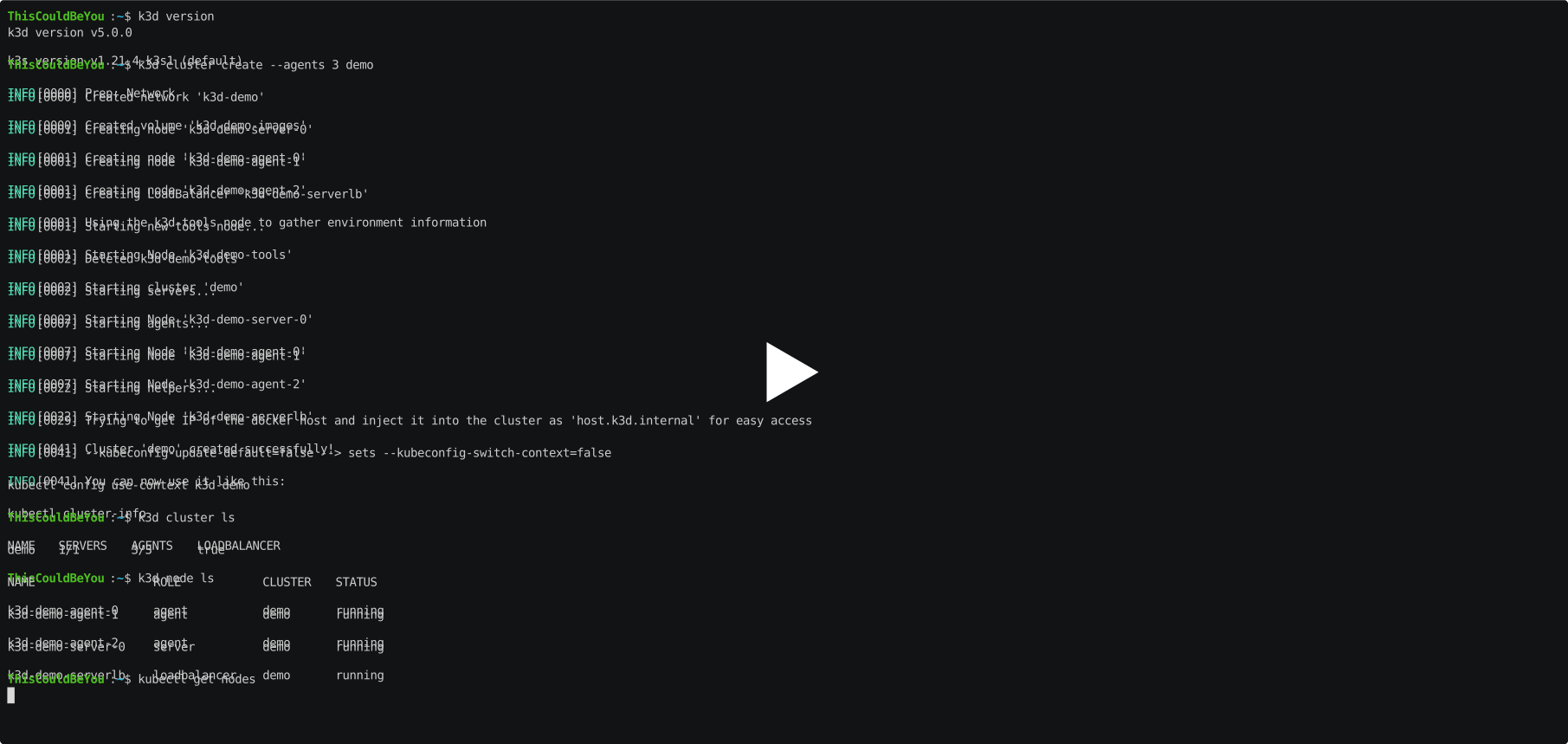
k3d creates containerized k3s clusters. This means, that you can spin up a multi-node k3s cluster on a single machine using docker.
Note: k3d is a community-driven project but it's not an official Rancher (SUSE) product. Sponsoring: To spend any significant amount of time improving k3d, we rely on sponsorships:


Learning
- Website with documentation: k3d.io
- Rancher Meetup - May 2020 - Simplifying Your Cloud-Native Development Workflow With K3s, K3c and K3d (YouTube)
- k3d demo repository: iwilltry42/k3d-demo
Requirements
- docker
- Note: k3d v5.x.x requires at least Docker v20.10.5 (runc >= v1.0.0-rc93) to work properly (see #807)
Releases
- May 2020: v1.7.x -> v3.0.0 (rewrite)
- January 2021: v3.x.x -> v4.0.0 (breaking changes)
- September 2021: v4.4.8 -> v5.0.0 (breaking changes)
| Platform | Stage | Version | Release Date | Downloads so far |
|---|---|---|---|---|
| GitHub Releases | stable |  |  |  |
| GitHub Releases | latest |  |  |  |
| Homebrew | stable |  | - | - |
| Chocolatey | stable |  | - | - |
| Scoop | stable |  | - | - |
Get
You have several options there:
-
use the install script to grab the latest release:
- wget:
wget -q -O - https://raw.githubusercontent.com/k3d-io/k3d/main/install.sh | bash - curl:
curl -s https://raw.githubusercontent.com/k3d-io/k3d/main/install.sh | bash
- wget:
-
use the install script to grab a specific release (via
TAGenvironment variable):- wget:
wget -q -O - https://raw.githubusercontent.com/k3d-io/k3d/main/install.sh | TAG=v5.0.0 bash - curl:
curl -s https://raw.githubusercontent.com/k3d-io/k3d/main/install.sh | TAG=v5.0.0 bash
- wget:
-
use Homebrew:
brew install k3d(Homebrew is available for MacOS and Linux)- Formula can be found in homebrew/homebrew-core and is mirrored to homebrew/linuxbrew-core
-
install via MacPorts:
sudo port selfupdate && sudo port install k3d(MacPorts is available for MacOS) -
install via AUR package rancher-k3d-bin:
yay -S rancher-k3d-bin -
grab a release from the release tab and install it yourself.
-
install via go:
go install github.com/k3d-io/k3d/v5@latest(Note: this will give you unreleased/bleeding-edge changes) -
use Chocolatey:
choco install k3d(Chocolatey package manager is available for Windows)- package source can be found in erwinkersten/chocolatey-packages
-
use Scoop:
scoop install k3d(Scoop package manager is available for Windows)- package source can be found in ScoopInstaller/Main
or...
Build
- Clone this repo, e.g. via
git clone git@github.com:k3d-io/k3d.gitorgo get github.com/k3d-io/k3d/v5@main - Inside the repo run
- 'make install-tools' to make sure required go packages are installed
- Inside the repo run one of the following commands
make buildto build for your current systemgo installto install it to yourGOPATH(Note: this will give you unreleased/bleeding-edge changes)make build-crossto build for all systems
Usage
Check out what you can do via k3d help or check the docs @ k3d.io
Example Workflow: Create a new cluster and use it with kubectl
k3d cluster create CLUSTER_NAMEto create a new single-node cluster (= 1 container running k3s + 1 loadbalancer container)- [Optional, included in cluster create]
k3d kubeconfig merge CLUSTER_NAME --kubeconfig-switch-contextto update your default kubeconfig and switch the current-context to the new one - execute some commands like
kubectl get pods --all-namespaces k3d cluster delete CLUSTER_NAMEto delete the default cluster
Connect
- Join the Rancher community on slack via slack.rancher.io
- Go to rancher-users.slack.com and join our channel #k3d
- Start chatting
History
This repository is based on @zeerorg's zeerorg/k3s-in-docker, reimplemented in Go by @iwilltry42 in iwilltry42/k3d, which got adopted by Rancher in rancher/k3d and was now moved into its own GitHub organization at k3d-io/k3d.
Related Projects
- k3x: GUI (Linux) to k3d
- vscode-k3d: vscode plugin for k3d
- AbsaOSS/k3d-action: fully customizable GitHub Action to run lightweight Kubernetes clusters.
- AutoK3s: a lightweight tool to help run K3s everywhere including k3d provider.
- nolar/setup-k3d-k3s: setup K3d/K3s for GitHub Actions.
Contributing
k3d is a community-driven project and so we welcome contributions of any form, be it code, logic, documentation, examples, requests, bug reports, ideas or anything else that pushes this project forward.
Please read our Contributing Guidelines and the related Code of Conduct.
You can find an overview of the k3d project (e.g. explanations and a repository guide) in the documentation: k3d.io/stable/design/project/
Contributors ✨
Thanks goes to these wonderful people (emoji key):
<!-- ALL-CONTRIBUTORS-LIST:START - Do not remove or modify this section --> <!-- prettier-ignore-start --> <!-- markdownlint-disable --> <table> <tbody> <tr> <td align="center" valign="top" width="14.28%"><a href="https://twitter.com/iwilltry42"><img src="https://avatars3.githubusercontent.com/u/25345277?v=4?s=100" width="100px;" alt="Thorsten Klein"/><br /><sub><b>Thorsten Klein</b></sub></a><br /><a href="https://github.com/k3d-io/k3d/commits?author=iwilltry42" title="Code">💻</a> <a href="https://github.com/k3d-io/k3d/commits?author=iwilltry42" title="Documentation">📖</a> <a href="#ideas-iwilltry42" title="Ideas, Planning, & Feedback">🤔</a> <a href="#maintenance-iwilltry42" title="Maintenance">🚧</a></td> <td align="center" valign="top" width="14.28%"><a href="https://blog.zeerorg.site/"><img src="https://avatars0.githubusercontent.com/u/13547997?v=4?s=100" width="100px;" alt="Rishabh Gupta"/><br /><sub><b>Rishabh Gupta</b></sub></a><br /><a href="#ideas-zeerorg" title="Ideas, Planning, & Feedback">🤔</a> <a href="https://github.com/k3d-io/k3d/commits?author=zeerorg" title="Code">💻</a></td> <td align="center" valign="top" width="14.28%"><a href="http://www.zenika.com"><img src="https://avatars3.githubusercontent.com/u/25585516?v=4?s=100" width="100px;" alt="Louis Tournayre"/><br /><sub><b>Louis Tournayre</b></sub></a><br /><a href="https://github.com/k3d-io/k3d/commits?author=louiznk" title="Documentation">📖</a></td> <td align="center" valign="top" width="14.28%"><a href="https://github.com/lionelnicolas"><img src="https://avatars3.githubusercontent.com/u/6538664?v=4?s=100" width="100px;" alt="Lionel Nicolas"/><br /><sub><b>Lionel Nicolas</b></sub></a><br /><a href="https://github.com/k3d-io/k3d/commits?author=lionelnicolas" title="Code">💻</a></td> <td align="center" valign="top" width="14.28%"><a href="https://github.com/toonsevrin.keys"><img src="https://avatars1.githubusercontent.com/u/5507199?v=4?s=100" width="100px;" alt="Toon Sevrin"/><br /><sub><b>Toon Sevrin</b></sub></a><br /><a href="https://github.com/k3d-io/k3d/commits?author=toonsevrin" title="Code">💻</a></td> <td align="center" valign="top" width="14.28%"><a href="http://debian-solutions.de"><img src="https://avatars3.githubusercontent.com/u/1111056?v=4?s=100" width="100px;" alt="Dennis Hoppe"/><br /><sub><b>Dennis Hoppe</b></sub></a><br /><a href="https://github.com/k3d-io/k3d/commits?author=dhoppe" title="Documentation">📖</a> <a href="#example-dhoppe" title="Examples">💡</a></td> <td align="center" valign="top" width="14.28%"><a href="https://dellinger.dev"><img src="https://avatars0.githubusercontent.com/u/3109892?v=4?s=100" width="100px;" alt="Jonas Dellinger"/><br /><sub><b>Jonas Dellinger</b></sub></a><br /><a href="#infra-JohnnyCrazy" title="Infrastructure (Hosting, Build-Tools, etc)">🚇</a></td> </tr> <tr> <td align="center" valign="top" width="14.28%"><a href="https://github.com/markrexwinkel"><img src="https://avatars2.githubusercontent.com/u/10704814?v=4?s=100" width="100px;" alt="markrexwinkel"/><br /><sub><b>markrexwinkel</b></sub></a><br /><a编辑推荐精选


扣子-AI办公
职场AI,就用扣子
AI办公助手,复杂任务高效处理。办公效率低?扣子空间AI助手支持播客生成、PPT制作、网页开发及报告写作,覆盖科研、商业、舆情等领域的专家Agent 7x24小时响应,生活工作无缝切换,提升50%效率!


堆友
多风格AI绘画神器
堆友平台由阿里巴巴设计团队创建,作为一款AI驱动的设计工具,专为设计师提供一站式增长服务。功能覆盖海量3D素材、AI绘画、实时渲染以及专业抠图,显著提升设计品质和效率。平台不仅提供工具,还是一个促进创意交流和个人发展的空间,界面友好,适合所有级别的设计师和创意工作者。


码上飞
零代码AI应用开发平台
零代码AI应用开发平台,用户只需一句话简单描述需求,AI能自动生成小程序、APP或H5网页应用,无需编写代码。


Vora
免费创建高清无水印Sora视频
Vora是一个免费创建高清无水印Sora视频的AI工具


Refly.AI
最适合小白的AI自动化工作流平台
无需编码,轻松生成可复用、可变现的AI自动化工作流


酷表ChatExcel
大模型驱动的Excel数据处理工具
基于大模型交互的表格处理系统,允许用户通过对话方式完成数据整理和可视化分析。系统采用机器学习算法解析用户指令,自动执行排序、公式计算和数据透视等操作,支持多种文件格式导入导出。数据处理响应速度保持在0.8秒以内,支持超过100万行数据的即时分析。


TRAE编程
AI辅助编程,代码自动修复
Trae是一种自适应的集成开发环境(IDE),通过自动化和多元协作改变开发流程。利用Trae,团队能够更快速、精确地编写和部署代码,从而提高编程效率和项目交付速度。Trae具备上下文感知和代码自动完成功能,是提升开发效率的理想工具。


AIWritePaper论文写作
AI论文写作指导平台
AIWritePaper论文写作是一站式AI论文写作辅助工具,简化了选题、文献检索至论文撰写的整个过程。通过简单设定,平台可快速生成高质量论文大纲和全文,配合图表、参考文献等一应俱全,同时提供开题报告和答辩PPT等增值服务,保障数据安全,有效提升写作效率和论文质量。


博思AIPPT
AI一键生成PPT,就用博思AIPPT!
博思AIPPT,新一代的AI生成PPT平台,支持智能生成PPT、AI美化PPT、文本&链接生成PPT、导入Word/PDF/Markdown文档生成PPT等,内置海量精美PPT模板,涵盖商务、教育、科技等不同风格,同时针对每个页面提供多种版式,一键自适应切换,完美适配各种办公场景。


潮际好麦
AI赋能电商视觉革命,一站式智能商拍平台
潮际好麦深耕服装行业,是国内AI试衣效果最好的软件。使用先进AIGC能力为电商卖家批量提供优质的、低成本的商拍图。合作品牌有Shein、Lazada、安踏、百丽等65个国内外头部品牌,以及国内10万+淘宝、天猫、京东等主流平台的品牌商家,为卖家节省将近85%的出图成本,提升约3倍出图效率,让品牌能够快速上架。

推荐工具精选


AI云服务特惠
懂AI专属折扣关注微信公众号
最新AI工具、AI资讯
独家AI资源、AI项目落地

微信扫一扫关注公众号