

CustomNavMesh
Unity导航网格增强系统 实现动态避障和智能寻路
CustomNavMesh是一个基于Unity导航系统的扩展解决方案,使AI代理能在寻路时动态避开静止的其他代理。通过切换NavMeshAgent和NavMeshObstacle组件,实现了更灵活的寻路行为。系统兼容NavMeshComponents,提供自定义Surface、Obstacle和Agent组件,可替换原生组件。CustomNavMesh支持代理间的推挤交互,并根据速度和时间智能控制阻挡状态,提升了AI导航的真实感。


Custom Nav Mesh
Alternative to Unity's NavMesh system where the agents avoid the other non-moving agents in their pathing. It uses the official navigation system, but you have to use its components instead. Compatible with NavMeshComponents.
How it works
How do the agents avoid others? Unity's NavMeshAgent only goes around NavMeshObstacles and ignores the other agents in their path. By disabling NavMeshAgent and enabling NavMeshObstacle when an agent is not moving noticeably, the agents now avoid other non-moving agents in their pathing.
| Unity's NavMeshAgent | CustomNavMeshAgent |
|---|---|
 |  |
1. Setting the destination to the blue target's exact center position.
What if a moving agent collides against a stopped agent that's currently in obstacle mode? By default, it wouldn't be able to push it. However, by:
- duplicating the baked surface, obstacle, and agents;
- making the duplicated agents switch between NavMeshAgent and NavMeshObstacle instead of the original ones;
- having each original agent copy the duplicated one's velocity, and the duplicated one copy the original's position at every frame.

2. The duplicated NavMesh components. The hidden components are on the right side.
You can have agents push the other agents. For the CustomNavMesh system to work, you must use its custom components, which are identical to the original ones, making the transition seamless.
| NavMeshAgent vs NavMeshObstacle "Agents" | CustomNavMeshAgents |
|---|---|
 |  |
3. Overlapping agents by throwing one against the others. The agents are green and the obstacles blue.
Why not just switch the agents back to NavMeshAgent instead? That wouldn't work because switching from NavMeshObstacle to NavMeshAgent isn't instant — it would take at least two frames.
What are the disadvantages? Every NavMesh component is duplicated, which makes it less performant. However, it shouldn't be noticeable in most situations.
Custom classes
CustomNavMesh – you can choose the hidden game objects relative position and whether or not they are rendered by accessing the class or through its singleton present in the scene.

4. Changing CustomNavMesh fields.
- CustomNavMeshSurface – add to each surface that is going to be baked. These surfaces need to be rendered meshes. Both Physics Colliders and Terrains are ignored by it;
- CustomNavMeshObstacle – replacement for NavMeshObstacle;
- CustomNavMeshAgent – replacement for NavMeshAgent. The main extra properties are:
- Block after Duration – should the hidden agent start blocking (switch from agent to obstacle) if it hasn't surpassed a certain speed for a given time?
- Unblock after Duration - should the hidden agent periodically try to find a new shorter path and unblock (switch from obstacle to agent) when it finds one?
- Unblock at Speed - should the hidden agent unblock if it surpasses a certain speed?
How To Get Started
Clone or download this repository and open the project in Unity. Alternatively, you can copy the contents of Assets/CustomNavMesh to an existing project.
The scenes used for the GIFs are available in the Assets/Examples folder. Just hit the Space Bar in play mode to test it.
Note: This project is using the Unity 2022.3 LTS version. Tested in PC Standalone, Android, and WebGL.
Final thoughts
Things that I might implement later:
- Every time an agent in block mode does a refresh (tries to see if it should unblock), SamplePosition and CalculatePath are called. Both of these functions are synchronous and run on the main thread. I could implement the new experimental NavMeshQuery operations (not yet fully complete) which can be executed using the new job system.
- Import more methods and properties from the original NavMesh components.
- Create custom versions of the NavMeshComponents' components.
If you need help adding this to your project or have any questions, just message me and I'll try to help. I'm also interested in any tips or suggestions you may have, cheers!
编辑推荐精选
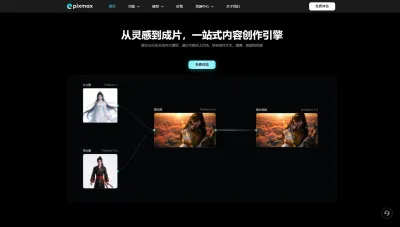

Pixmax
一站式AI短剧创作平台
Pixmax专注打造下一代“ AI 视觉创作引擎”,整合行业顶尖 AI 大模型、工工业级精准控制及企业级协同管理功能,是全方位的 AI 内容创作平台。


豆包
字节跳动旗下 AI 智能助手
字节跳动旗下 AI 智能助手

GPT Plus|Pro充值
GPT充值
支持 ChatGPT Plus / Pro 充值服务,支付便捷,自动发货,售后可查。
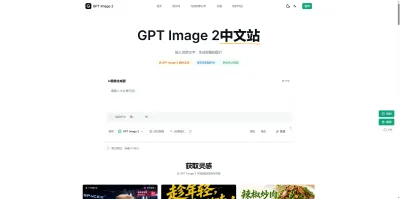

GPT Image 2中文站
AI 图片生成平台
GPT Image 2 是面向用户的 AI 图片生成平台,支持文生图、图生图及多模型创意工作流。

Vecbase
你的AI Agent团队
Vecbase 是专为 AI 团队打造的智能工作空间,将数据管理、模型协作与知识沉淀整合于一处。算法、产品与业务在同一平台无缝协同,让从数据到 AI 应用的落地更快一步。


音述AI
全球首个AI音乐社区
音述AI是全球首个AI音乐社区,致力让每个人都能用音乐表达自我。音述AI提供零门槛AI创作工具,独创GETI法则帮助用户精准定义音乐风格,AI润色功能支持自动优化作品质感。音述AI支持交流讨论、二次创作与价值变现。针对中文用户的语言习惯与文化背景进行专门优化,支持国风融合、C-pop等本土音乐标签,让技术更好地承载人文表达。


QoderWork
阿里Qoder团队推出的桌面端AI智能体
QoderWork 是阿里推出的本地优先桌面 AI 智能体,适配 macOS14+/Windows10+,以自然语言交互实现文件管理、数据分析、AI 视觉生成、浏览器自动化等办公任务,自主拆解执行复杂工作流,数据本地运行零上传,技能市场可无限扩展,是高效的 Agentic 生产力办公助手。


lynote.ai
一站式搞定所有学习需求
不再被海量信息淹没,开始真正理解知识。Lynote 可摘要 YouTube 视频、PDF、文章等内容。即时创建笔记,检测 AI 内容并下载资料,将您的学习效率提升 10 倍。


AniShort
为AI短剧协作而生
专为AI短剧协作而生的AniShort正式发布,深度重构AI短剧全流程生产模式,整合创意策划、制作执行、实时协作、在线审片、资产复用等全链路功能,独创无限画布、双轨并行工业化工作流与Ani智能体助手,集成多款主流AI大模型,破解素材零散、版本混乱、沟通低效等行业痛点,助力3人团队效率提升800%,打造标准化、可追溯的AI短剧量产体系,是AI短剧团队协同创作、提升制作效率的核心工具。


seedancetwo2.0
能听懂你表达的视频模型
Seedance two是基于seedance2.0的中国大模型,支持图像、视频、音频、文本四种模态输入,表达方式更丰富,生成也更可控。

推荐工具精选


AI云服务特惠
懂AI专属折扣关注微信公众号
最新AI工具、AI资讯
独家AI资源、AI项目落地

微信扫一扫关注公众号