






migrate
Database migrations written in Go. Use as CLI or import as library.
- Migrate reads migrations from sources and applies them in correct order to a database.
- Drivers are "dumb", migrate glues everything together and makes sure the logic is bulletproof. (Keeps the drivers lightweight, too.)
- Database drivers don't assume things or try to correct user input. When in doubt, fail.
Forked from mattes/migrate
Databases
Database drivers run migrations. Add a new database?
- PostgreSQL
- PGX v4
- PGX v5
- Redshift
- Ql
- Cassandra / ScyllaDB
- SQLite
- SQLite3 (todo #165)
- SQLCipher
- MySQL / MariaDB
- Neo4j
- MongoDB
- CrateDB (todo #170)
- Shell (todo #171)
- Google Cloud Spanner
- CockroachDB
- YugabyteDB
- ClickHouse
- Firebird
- MS SQL Server
- rqlite
Database URLs
Database connection strings are specified via URLs. The URL format is driver dependent but generally has the form: dbdriver://username:password@host:port/dbname?param1=true¶m2=false
Any reserved URL characters need to be escaped. Note, the % character also needs to be escaped
Explicitly, the following characters need to be escaped:
!, #, $, %, &, ', (, ), *, +, ,, /, :, ;, =, ?, @, [, ]
It's easiest to always run the URL parts of your DB connection URL (e.g. username, password, etc) through an URL encoder. See the example Python snippets below:
$ python3 -c 'import urllib.parse; print(urllib.parse.quote(input("String to encode: "), ""))'
String to encode: FAKEpassword!#$%&'()*+,/:;=?@[]
FAKEpassword%21%23%24%25%26%27%28%29%2A%2B%2C%2F%3A%3B%3D%3F%40%5B%5D
$ python2 -c 'import urllib; print urllib.quote(raw_input("String to encode: "), "")'
String to encode: FAKEpassword!#$%&'()*+,/:;=?@[]
FAKEpassword%21%23%24%25%26%27%28%29%2A%2B%2C%2F%3A%3B%3D%3F%40%5B%5D
$
Migration Sources
Source drivers read migrations from local or remote sources. Add a new source?
- Filesystem - read from filesystem
- io/fs - read from a Go io/fs
- Go-Bindata - read from embedded binary data (jteeuwen/go-bindata)
- pkger - read from embedded binary data (markbates/pkger)
- GitHub - read from remote GitHub repositories
- GitHub Enterprise - read from remote GitHub Enterprise repositories
- Bitbucket - read from remote Bitbucket repositories
- Gitlab - read from remote Gitlab repositories
- AWS S3 - read from Amazon Web Services S3
- Google Cloud Storage - read from Google Cloud Platform Storage
CLI usage
- Simple wrapper around this library.
- Handles ctrl+c (SIGINT) gracefully.
- No config search paths, no config files, no magic ENV var injections.
Basic usage
$ migrate -source file://path/to/migrations -database postgres://localhost:5432/database up 2
Docker usage
$ docker run -v {{ migration dir }}:/migrations --network host migrate/migrate
    -path=/migrations/ -database postgres://localhost:5432/database up 2
Use in your Go project
- API is stable and frozen for this release (v3 & v4).
- Uses Go modules to manage dependencies.
- To help prevent database corruptions, it supports graceful stops via
GracefulStop chan bool. - Bring your own logger.
- Uses
io.Readerstreams internally for low memory overhead. - Thread-safe and no goroutine leaks.
import (
    "github.com/golang-migrate/migrate/v4"
    _ "github.com/golang-migrate/migrate/v4/database/postgres"
    _ "github.com/golang-migrate/migrate/v4/source/github"
)

func main() {
    m, err := migrate.New(
        "github://mattes:personal-access-token@mattes/migrate_test",
        "postgres://localhost:5432/database?sslmode=enable")
    m.Steps(2)
}
Want to use an existing database client?
import (
    "database/sql"
    _ "github.com/lib/pq"
    "github.com/golang-migrate/migrate/v4"
    "github.com/golang-migrate/migrate/v4/database/postgres"
    _ "github.com/golang-migrate/migrate/v4/source/file"
)

func main() {
    db, err := sql.Open("postgres", "postgres://localhost:5432/database?sslmode=enable")
    driver, err := postgres.WithInstance(db, &postgres.Config{})
    m, err := migrate.NewWithDatabaseInstance(
        "file:///migrations",
        "postgres", driver)
    m.Up() // or m.Step(2) if you want to explicitly set the number of migrations to run
}
Getting started
Go to getting started
Tutorials
(more tutorials to come)
Migration files
Each migration has an up and down migration. Why?
1481574547_create_users_table.up.sql
1481574547_create_users_table.down.sql
Best practices: How to write migrations.
Coming from another db migration tool?
Check out migradaptor. Note: migradaptor is not affiliated or supported by this project
Versions
| Version | Supported? | Import | Notes |
|---|---|---|---|
| master | :white_check_mark: | import "github.com/golang-migrate/migrate/v4" | New features and bug fixes arrive here first |
| v4 | :white_check_mark: | import "github.com/golang-migrate/migrate/v4" | Used for stable releases |
| v3 | :x: | import "github.com/golang-migrate/migrate" (with package manager) or import "gopkg.in/golang-migrate/migrate.v3" (not recommended) | DO NOT USE - No longer supported |
Development and Contributing
Yes, please! Makefile is your friend,
read the development guide.
Also have a look at the FAQ.
Looking for alternatives? https://awesome-go.com/#database.
编辑推荐精选


GPT Plus|Pro充值
GPT充值
支持 ChatGPT Plus / Pro 充值服务,支付便捷,自动发货,售后可查。
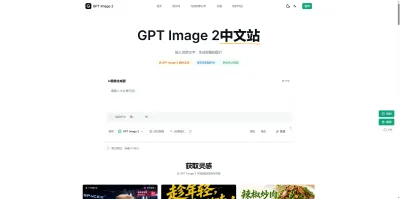

GPT Image 2中文站
AI 图片生成平台
GPT Image 2 是面向用户的 AI 图片生成平台,支持文生图、图生图及多模型创意工作流。

Vecbase
你的AI Agent团队
Vecbase 是专为 AI 团队打造的智能工作空间,将数据管理、模型协作与知识沉淀整合于一处。算法、产品与业务在同一平台无缝协同,让从数据到 AI 应用的落地更快一步。


音述AI
全球首个AI音乐社区
音述AI是全球首个AI音乐社区,致力让每个人都能用音乐表达自我。音述AI提供零门槛AI创作工具,独创GETI法则帮助用户精准定义音乐风格,AI润色功能支持自动优化作品质感。音述AI支持交流讨论、二次创作与价值变现。针对中文用户的语言习惯与文化背景进行专门优化,支持国风融合、C-pop等本土音乐标签,让技术更好地承载人文表达。

QoderWork
阿里Qoder团队推出的桌面端AI智能体
QoderWork 是阿里推出的本地优先桌面 AI 智能体,适配 macOS14+/Windows10+,以自然语言交互实现文件管理、数据分析、AI 视觉生成、浏览器自动化等办公任务,自主拆解执行复杂工作流,数据本地运行零上传,技能市场可无限扩展,是高效的 Agentic 生产力办公助手。


lynote.ai
一站式搞定所有学习需求
不再被海量信息淹没,开始真正理解知识。Lynote 可摘要 YouTube 视频、PDF、文章等内容。即时创建笔记,检测 AI 内容并下载资料,将您的学习效率提升 10 倍。


AniShort
为AI短剧协作而生
专为AI短剧协作而生的AniShort正式发布,深度重构AI短剧全流程生产模式,整合创意策划、制作执行、实时协作、在线审片、资产复用等全链路功能,独创无限画布、双轨并行工业化工作流与Ani智能体助手,集成多款主流AI大模型,破解素材零散、版本混乱、沟通低效等行业痛点,助力3人团队效率提升800%,打造标准化、可追溯的AI短剧量产体系,是AI短剧团队协同创作、提升制作效率的核心工具。


seedancetwo2.0
能听懂你表达的视频模型
Seedance two是基于seedance2.0的中国大模型,支持图像、视频、音频、文本四种模态输入,表达方式更丰富,生成也更可控。
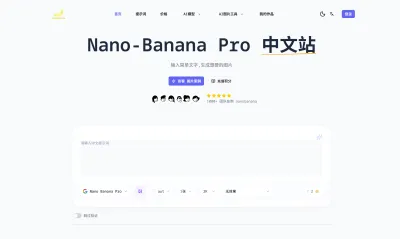

nano-banana纳米香蕉中文站
国内直接访问,限时3折
输入简单文字,生成想要的图片,纳米香蕉中文站基于 Google 模型的 AI 图片生成网站,支持文字生图、图生图。官网价格限时3折活动


扣子-AI办公
职场AI,就用扣子
AI办公助手,复杂任务高效处理。办公效率低?扣子空间AI助手支持播客生成、PPT制作、网页开发及报告写作,覆盖科研、商业、舆情等领域的专家Agent 7x24小时响应,生活工作无缝切换,提升50%效率!

推荐工具精选


AI云服务特惠
懂AI专属折扣关注微信公众号
最新AI工具、AI资讯
独家AI资源、AI项目落地

微信扫一扫关注公众号