


💌 SENDUNE - HTML Email Designer.
👹 Who?
This email designer was originally built for use within SENDUNE (formerly Send With SES).
⁉️ Why Choose SENDUNE Email Designer?
- Truly Open Source: Use it for personal use or commercial use or whatever.
- Truly Free: Because the ones that say 'free', are not.
- Truly Works: Because the ones that are free don't seem to work.
- Truly HTML: No intermediate code wranglers like mjml.
- Truly Fast and Light Weight: Because you have better things to do with your time.
- Truly No-Code: Design like a pro without coding headaches. Our minimal interface gets out of your way.
- Truly Democratic: Save HTML output as a template and use with ANY email service provider.
3️⃣ Three Ways To Create Templates
Comes with three template types that let you design any kind of transactional or marketing emails. Altogther, you can create and save unlimited templates.
- Drag and Drop Designer - Start designing beautiful emails immediately.
- HTML Code Editor - Reuse HTML templates that you already have or code them from scratch.
- Plain Text Emails - 'Minimalists'. This is for you.
🚀 Built On Solid Fundamentals.
Follows a few fundamental rules to design emails that work in nearly all email clients (web and mobile). It is built upon some great work done by these people.
- Ted Goas - https://www.cerberusemail.com
- Nicole Merlin - https://www.emailwizardry.com.au
- Mark Robbins - https://www.goodemailcode.com
🎪 Live Demo.
Play around with the live demo at https://designer.sendune.com. You can design a template and send yourself a test email.
👩💻 Installation
Install via NPM:
npm install @send-with-ses/ng-email-designer
Or via YARN:
yarn add @send-with-ses/ng-email-designer
🖼️ Image Handling
You can use a cloud storage of your choice (ex: AWS S3, Cloudflare R2, GCP Cloud Storage etc) for storing your images. Please implement your image upload functionality and provide it to the library as below (imageUploadTriggered/imageSelectionTriggered).
<lib-email-designer #emailEditor class="px-0"
        [type]="selectedTemplateType" [template]="selectedTemplate"
        (imageSelectionTriggered)="onImageSelectionTrigger($event)"
        (imageUploadTriggered)="onImageUploadTrigger($event)"
        (emailContentChanged)="onEmailContentChange($event)"
        >
</lib-email-designer>
Click here for more documentation
🎨 UI Theming and Styles
You can make a few changes to make the Email Designer match your website colors.
Import the following styles into your global styles file (e.g., styles.scss):
@import '../node_modules/email-designer/src/lib/theme.scss';
@import '../node_modules/email-designer/src/lib/email-editor.css';
To make the Email Designer match your website's UI, include the following in your main.scss or styles.scss file and change the colors as you like.
 :root {
    --sws-icon-color: #ccc;
    --sws-icon-hover-color: #555;
    --sws-header-background: #eee;
    --sws-header-text-color: #555;
    --sws-border-color: #ccc;
 }
🤝 Contribute.
Feel free to fork the repository, make improvements, and submit pull requests.
🐛 Issues or Ideas:
Spotted a bug or got an idea? Just open an issue or write to designer at sendwithses dot org.
⭐ Minimal Rationalism (Optional Reading)
SENDUNE Designer focuses on simplicity and ease of use over a heavy feature set. Over years of sending emails, we've come across some email patterns that work and many that don't. Some are design related while some are organisation related. Let's break some bubbles here - in no particular order.
- Remember, you are designing an email, not a website. If you want fine-grain controls like 'line heights', you are at the wrong place.
- The more you nitpick on the design, the more likely it will break in email clients. (i.e. more moving parts == more breakages).
- Transactional emails are best delivered in plain text.
- For best results, HTML emails (transactional and marketing) must (mostly) fit 'above the fold'.
- Rethink your design if it is more than one scroll depth.
- The combined time spent by all the recipients who opened your marketing email will be lesser than the time you spent designing it. (This statement is an exaggeration, but you get the drift.)
- Emails are being designed to impress bosses, not the end readers.
- Avoiding spam folders is largely a function of the content of your email. Technology or the pedigree of your email sending service cannot help you if your content is unsolicited.
- The top three email service providers control ~80% of the market. They can break you.
编辑推荐精选
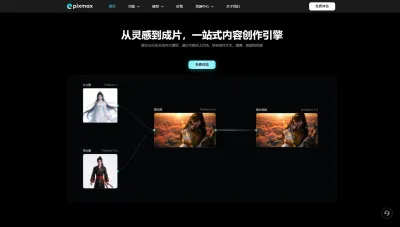

Pixmax
一站式AI短剧创作平台
Pixmax专注打造下一代“ AI 视觉创作引擎”,整合行业顶尖 AI 大模型、工工业级精准控制及企业级协同管理功能,是全方位的 AI 内容创作平台。


豆包
字节跳动旗下 AI 智能助手
字节跳动旗下 AI 智能助手
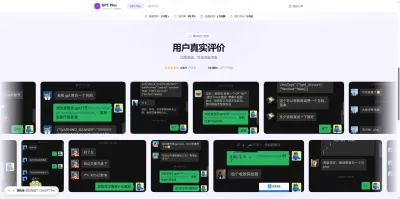

GPT Plus|Pro充值
GPT充值
支持 ChatGPT Plus / Pro 充值服务,支付便捷,自动发货,售后可查。
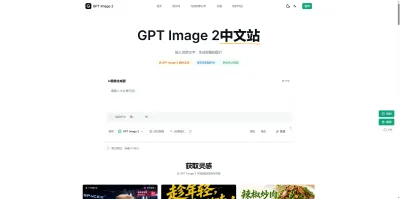

GPT Image 2中文站
AI 图片生成平台
GPT Image 2 是面向用户的 AI 图片生成平台,支持文生图、图生图及多模型创意工作流。

Vecbase
你的AI Agent团队
Vecbase 是专为 AI 团队打造的智能工作空间,将数据管理、模型协作与知识沉淀整合于一处。算法、产品与业务在同一平台无缝协同,让从数据到 AI 应用的落地更快一步。


音述AI
全球首个AI音乐社区
音述AI是全球首个AI音乐社区,致力让每个人都能用音乐表达自我。音述AI提供零门槛AI创作工具,独创GETI法则帮助用户精准定义音乐风格,AI润色功能支持自动优化作品质感。音述AI支持交流讨论、二次创作与价值变现。针对中文用户的语言习惯与文化背景进行专门优化,支持国风融合、C-pop等本土音乐标签,让技术更好地承载人文表达。


QoderWork
阿里Qoder团队推出的桌面端AI智能体
QoderWork 是阿里推出的本地优先桌面 AI 智能体,适配 macOS14+/Windows10+,以自然语言交互实现文件管理、数据分析、AI 视觉生成、浏览器自动化等办公任务,自主拆解执行复杂工作流,数据本地运行零上传,技能市场可无限扩展,是高效的 Agentic 生产力办公助手。


lynote.ai
一站式搞定所有学习需求
不再被海量信息淹没,开始真正理解知识。Lynote 可摘要 YouTube 视频、PDF、文章等内容。即时创建笔记,检测 AI 内容并下载资料,将您的学习效率提升 10 倍。


AniShort
为AI短剧协作而生
专为AI短剧协作而生的AniShort正式发布,深度重构AI短剧全流程生产模式,整合创意策划、制作执行、实时协作、在线审片、资产复用等全链路功能,独创无限画布、双轨并行工业化工作流与Ani智能体助手,集成多款主流AI大模型,破解素材零散、版本混乱、沟通低效等行业痛点,助力3人团队效率提升800%,打造标准化、可追溯的AI短剧量产体系,是AI短剧团队协同创作、提升制作效率的核心工具。


seedancetwo2.0
能听懂你表达的视频模型
Seedance two是基于seedance2.0的中国大模型,支持图像、视频、音频、文本四种模态输入,表达方式更丰富,生成也更可控。

推荐工具精选


AI云服务特惠
懂AI专属折扣关注微信公众号
最新AI工具、AI资讯
独家AI资源、AI项目落地

微信扫一扫关注公众号